Everything in one player. Everything in one library.
SiftVid is built around three capabilities that almost no other tool does well together: a four-state tag-chip filter that composes AND / OR / NOT in a single click, A-B section loop, and fuzzy search across an unlimited library. Everything stays on your Windows PC. The rest is conveniences on top.
Open a folder. Play anything your Windows PC can decode.
SiftVid is a Windows desktop app. You install it from the Microsoft Store, point it at a folder, and it reads the files directly from your drive — the video stream goes from your disk to the player without leaving your machine. No codec packs needed, no cloud required.
Five native formats. One <video> tag. Zero codec packs.
SiftVid is a Windows desktop app. It uses your PC's built-in video decoders and local codec support to handle MP4 H.264/H.265, WebM, M4V, OGV, and many more formats natively. No upload, no cloud, no codec packs to install.
- Hardware decodingYour GPU handles H.264/H.265 wherever Windows supports it. Zero config.
- Desktop-native playbackAVI, MKV, RMVB, WMV, FLV and more — decoded locally on your PC, no upload required.
- No cloud requiredFiles served directly from your local drive. No upload, no streaming, no server dependency.
- Range-request nativeScrub on a 4 GB file instantly. The player only reads the bytes it needs from your local drive.
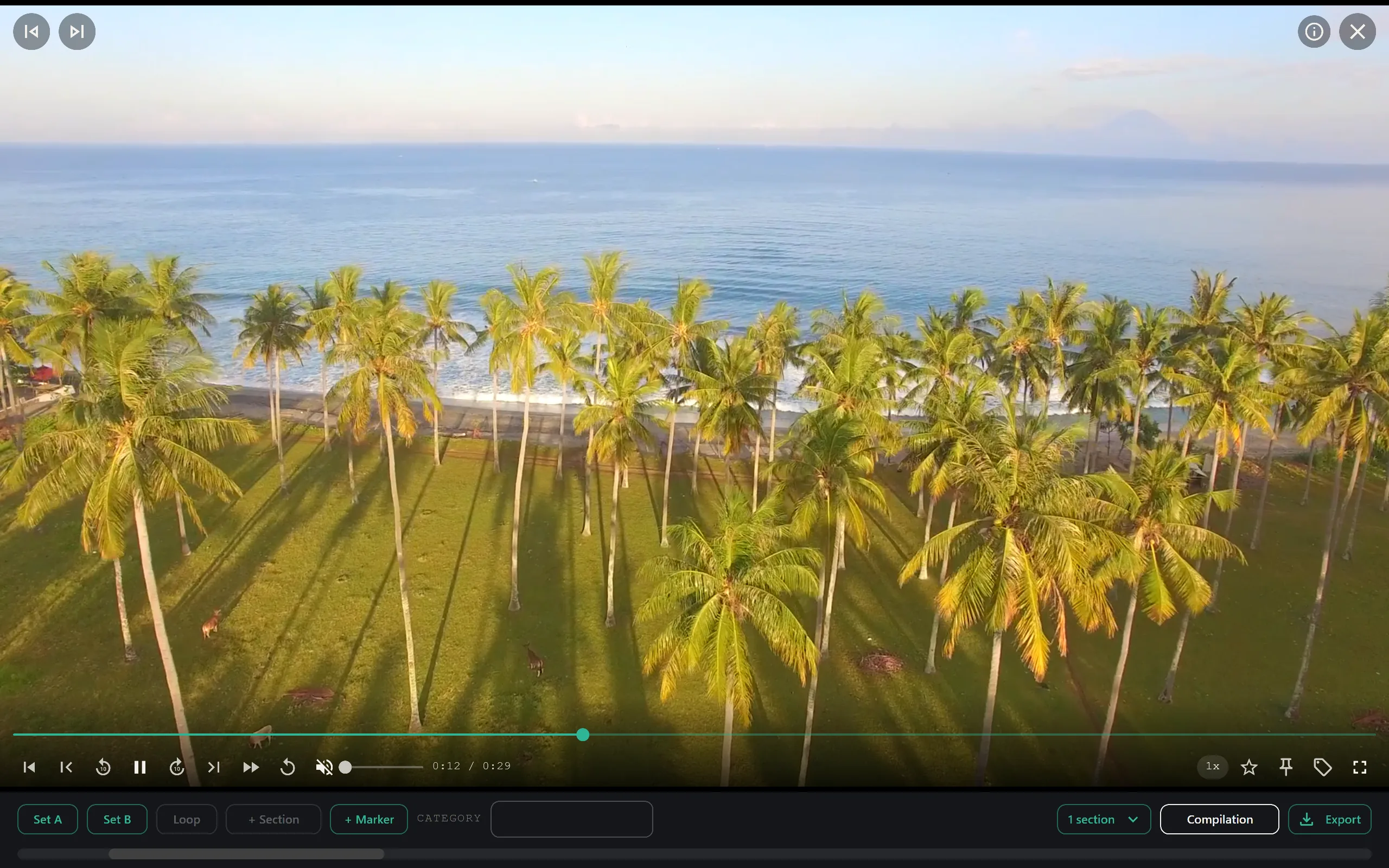
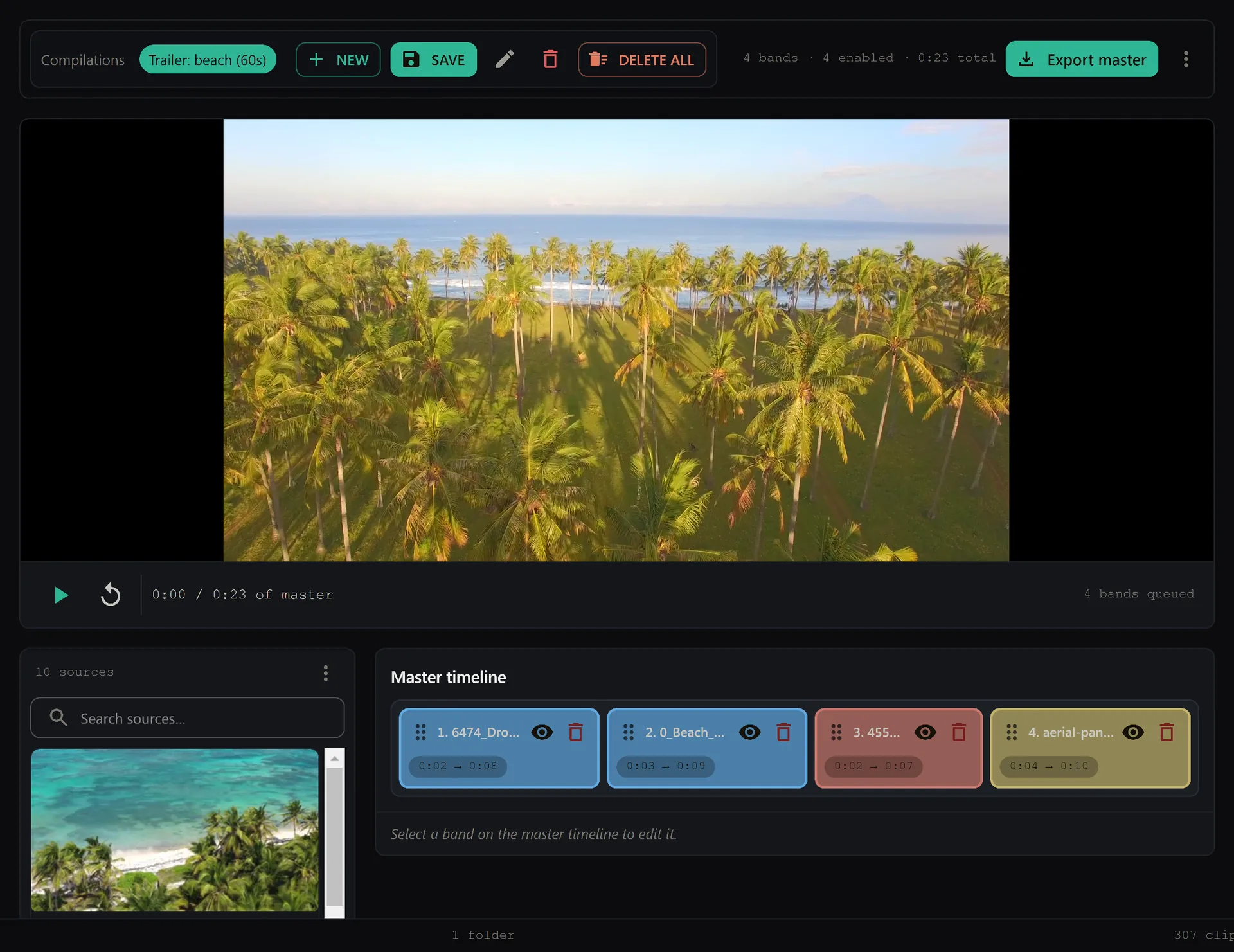
Saved sections become a trailer.
Every A-B section you save while reviewing carries a category. Pick a category, choose 30, 60 or 90 seconds, and SiftVid drafts a trailer from the peak moments onto the master timeline. Reorder the bands, drop the weak ones, then Export master renders one file.
Find anything. Even if you misremember the name.
SiftVid parses every filename and folder on import, extracts entities, and indexes the result with uFuzzy — the same fuzzy library that powers Obsidian, Logseq, and Linear's command palette. AND / OR / NOT operators compose in one search bar.
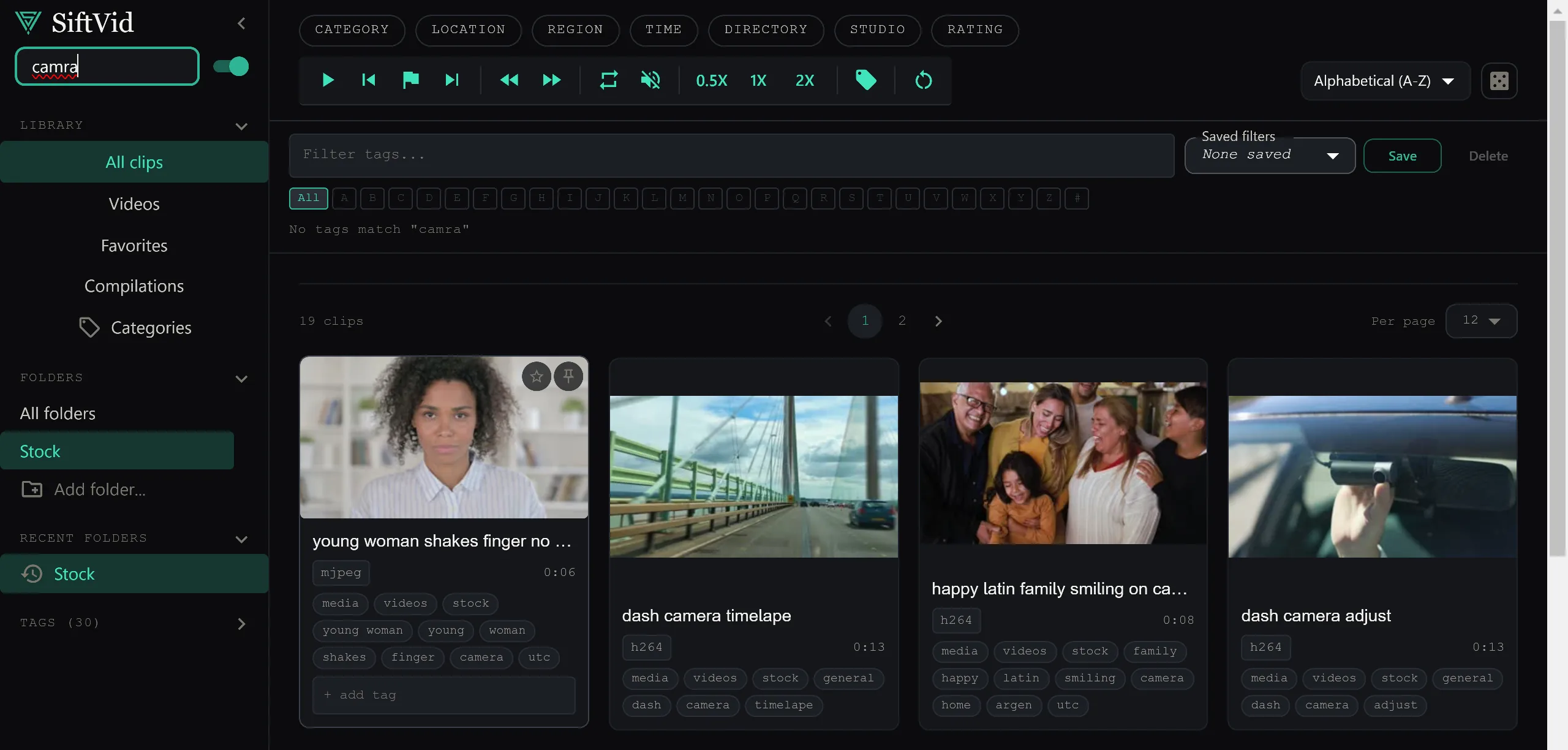
Type “batroom”, find the bathrooms. Use Google-style operators.
uFuzzy under the hood, with a 0.85 typo tolerance on common terms and configurable strictness. A bare word must match. Prefix a term with + and any of the marked terms may match; prefix with − and it must not appear. Combine them freely in one search bar.
- uFuzzy backendSame engine as Obsidian, Logseq, Linear command palettes.
- Result timeSeconds on a cold library. <200ms on warm cache.
- Smart-tag scopeFilename, folder path, custom tags, file size, codec, duration.
- Saved searchesPin queries you run weekly. Re-run with one click.
Smart tagging
Filenames, folder paths, and external sidecar files are parsed on import. Tags appear as chips next to each clip — click to filter, shift-click to exclude.
Entity detection
Names, places, dates, and other entities extracted from filenames where structure allows. Generic NLP — not tied to any one content category.
Custom tags
Unlimited user-defined tags per clip. Apply in bulk from a selection. Saved alongside your library, always on your PC.
Favorites & lock
Star clips for quick recall. Lock favorites so they can't be accidentally deleted from the library — useful when culling thousands of clips.
Folder merge
Mount multiple folders across C:, D:, and external drives as one library. Search and tag treat them as a single set.
Random discovery
Hit the dice key for a random clip from your filtered set. Rediscover footage you forgot you had.
Pro playback, made for actual work.
The reason coaches and instructors use this and not VLC. A-B loop is a first-class control, not a hidden shortcut. Speed cycling with pitch preservation. Hover-to-preview thumbnails. Favourite, lock, and the dice button for re-discovery — the whole player is built around review, not just playback.

Tag a section once. The category does the rest.
Each saved A-B section carries a category. The Categories page groups them: how many sections and videos each one holds, plus Review sections, Make trailer, Rename and Merge for every category.
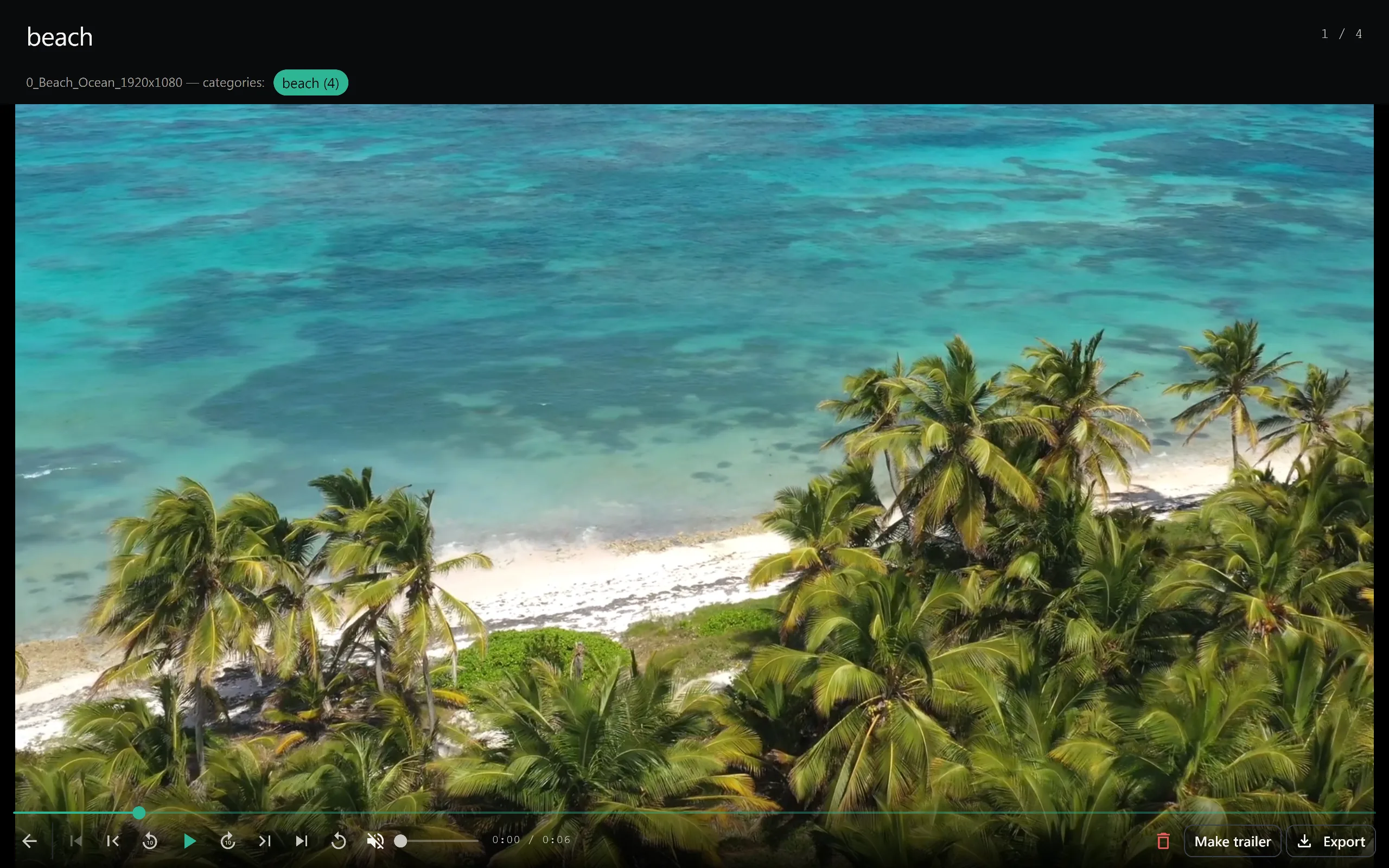
Play a whole category back to back.
Open a category and its sections play in sequence, with the clip's name and category over the video, a scrub bar, skip controls and a counter so you always know where you are.
A-B section loop
First-class custom Video.js control with three visible states: idle, point-A set, looping. Tap to set A, tap again to set B, the player loops the section indefinitely.
Speed cycling
Cycle 0.25× / 0.5× / 0.75× / 1× / 1.25× / 1.5× / 2× with a visual gradient indicator. Pitch-preserved audio at every speed.
Compilation mode
Thumbnails play a short auto-generated highlight reel on hover. Smart algorithm picks segments based on motion and duration. Toggle off if you prefer static thumbnails.
Keyboard everything
Space, M, arrows, [ / ] for speed, F for fullscreen, Esc to back out, Ctrl+F to search. Every common action mapped, every binding customisable.
Play unlimited videos.
Memory + local database. Two tiers of caching mean a fresh library load takes seconds, repeat loads are instant, and a cold cache rebuild after a crash is bounded. Search stays fast as the library grows. Everything runs on your PC.
Unlimited videos
No cap on library size and no per-clip licensing. Add as many videos as your drive holds; indexing keeps up in the background.
Adaptive worker pool
Thumbnail extraction runs in a worker pool sized to your CPU count. Throttles on battery, scales up on AC power.
Background indexing
Add a folder, start using SiftVid immediately. Tagging, metadata, and thumbnails fill in behind you.
No cloud. No upload. Your files never leave your PC.
SiftVid runs entirely on your Windows PC. Your videos, tags, search index, and thumbnails stay on your hard drive. There is no cloud component, no server to phone home to, and no account required. What happens on your machine stays on your machine.
No account needed
Download from siftvid.com and start using SiftVid immediately. No signup wall, no login screen, no account. Buy once, own it.
Zero content telemetry
Crash reports and anonymous usage stats are opt-in. Even when on, they include no filenames, paths, tags, or thumbnails — only counts and timings.
No model training
We do not use your files, metadata, or search queries to train any model. Not now, not later, full stop.
One-time purchase
$14.99 at siftvid.com, after a 7-day full-access free trial. No subscription, no recurring billing, no hidden fees. Updates are included.
Local by default. No cloud, no server, no account.
SiftVid is a desktop app. It does not have a cloud component. No signup, no analytics by default, and no server to phone home to. We don't want your video data — and the architecture ensures we can never see it.
No account needed
Download from siftvid.com and start using SiftVid. No account, no signup wall, no login screen.
Zero content telemetry
Crash reports and anonymous usage stats are opt-in. Even when on, they include no filenames, paths, tags, or thumbnails — only counts and timings.
No model training
We do not use your files, metadata, or search queries to train any model. Not now, not later, full stop.
Honest comparison.
SiftVid is not the right tool for every job. If you just want to open the occasional file, VLC is excellent. If you're happy with Finder, stay there. Below is when we win.
| What you're trying to do | Finder / Explorer | VLC | SiftVid |
|---|---|---|---|
| Open a random video file | good | great | great |
| Find one clip in a huge library | no | no | designed for it |
| Compare 4 angles of the same play | launch 4 apps | no | roadmap |
| Loop a 5-second section forever | no | A-B kludge | A-B native |
| Play a 2003 camcorder AVI | default app usually fails | handles it well | MP4 only |
| Stream library to family TV | no | no | single-user only |
| Share clips with a friend | via cloud links | no | single-user only |
| Cull 200 wedding clips fast | no | no | tags + favorites + lock |
In plain English: SiftVid is a single-user organisation and review tool, not a media server and not a general-purpose player. It earns its place when finding and reviewing a specific moment is the job.
Stop scrolling through folders. Start finding things.
Windows desktop app. One-time purchase. No subscription, no cloud, no account required.