Use Custom Tags to Create Your Perfect System
Auto-tags are great. But your tags are better. Here's how to build a tagging system that fits your workflow — ceremony clips, drone footage, coaching drills, or any category you define.
Auto-Tags Cover 80%. Custom Tags Cover the Rest.
SiftVid auto-tags your videos with subjects, categories, and file metadata from filenames. That handles 80% of searches. But what about the other 20%?
The clips you'll remember with tags only you would think of:
- “all-time favorites”
- “summer 2023 batch”
- “need to rewatch”
- “client review pending”
- “wide angle ceremony”
Custom tags let you organize your way.
How Custom Tags Work
Adding a Tag
- Right-click any video → “Add Tag”
- Type your tag. Press Enter.
- Done. The tag is saved instantly.
Tags are stored locally. They persist across sessions. You can add multiple tags to one video.
Searching by Custom Tag
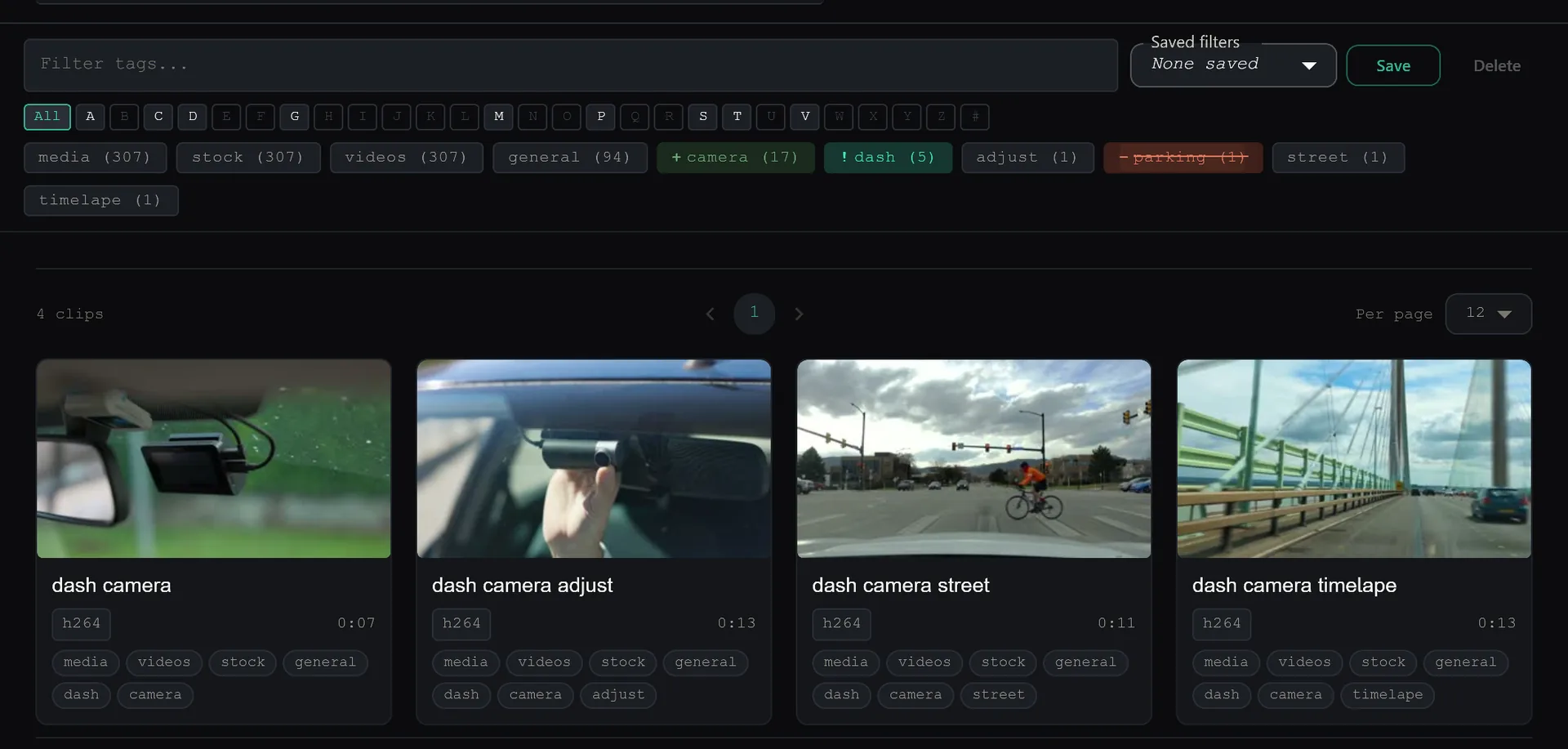
Type your tag in the search bar. All matching videos appear. Sort them by duration, size, or date.
Or: Click “Tags” in the sidebar. Browse all your custom tags. Click one. See everything tagged with it.
Bulk Tagging
Select multiple videos (Ctrl+click or Shift+click). Right-click → “Add Tag to Selection.” One action, all selected videos tagged.
Use this to tag an entire folder's worth of clips in seconds.
Real-World Tagging Systems
Wedding Videographer
ceremony-wide,ceremony-close— angle referencefirst-dance,reception-speeches— event momentsdrone-b-roll— aerial footage across all weddingsdelivered-2024— tracking completed projects
Sports Coach
game-film,practice-drill— session typezone-defense,fast-break— play typeshighlight— best clips for review
Action-Cam Archivist
alps-2022,patagonia-2023— location batcheskeeper— clips worth editingtimelapse— specific shot type
Power User Tips
Tag Across Categories
Custom tags ignore category boundaries. A tag like keeper can span drone footage, coaching drills, and ceremony clips. Search finds them all.
Use Tags for Workflow State
Tags like to-edit, delivered, and archived turn SiftVid into a lightweight project tracker for your footage.
Combine with Filters
Tag filter + search + sort. Filter by keeper, search for a specific subject, sort by duration. That narrows 10,000 clips to the 3 you actually want.
Auto-tags organize everything. Custom tags organize what matters to you.
Keep reading
Rediscover Forgotten Files With Random Discovery
You forgot half your collection exists. The dice button brings it back. Filter first, then randomise — surface footage from years ago with one click.
Favorites & Pinning: Keep Your Best Clips Always Accessible
50 go-to clips in a library of 10,000. Star them. Pin them to top. They stay visible while you sort and cull the rest — use locking to prevent accidental deletion.