Rediscover Forgotten Files With Random Discovery
You forgot half your collection exists. The dice button brings it back. Filter first, then randomise — surface footage from years ago with one click.
The Problem With Big Libraries
You have 10,000 videos. You search for specific things. You watch what comes up. The rest — the other 9,800 clips you've never re-visited — might as well not exist.
This is the archive problem. It's not a search problem. It's a discovery problem. You can't search for footage you've forgotten exists.
The Dice Button
The dice button (the random shuffle icon in the toolbar) picks a random video from your current view and opens it. Click once. See something you forgot you had.
It sounds simple. In practice, it's the feature people use most often once they discover it.
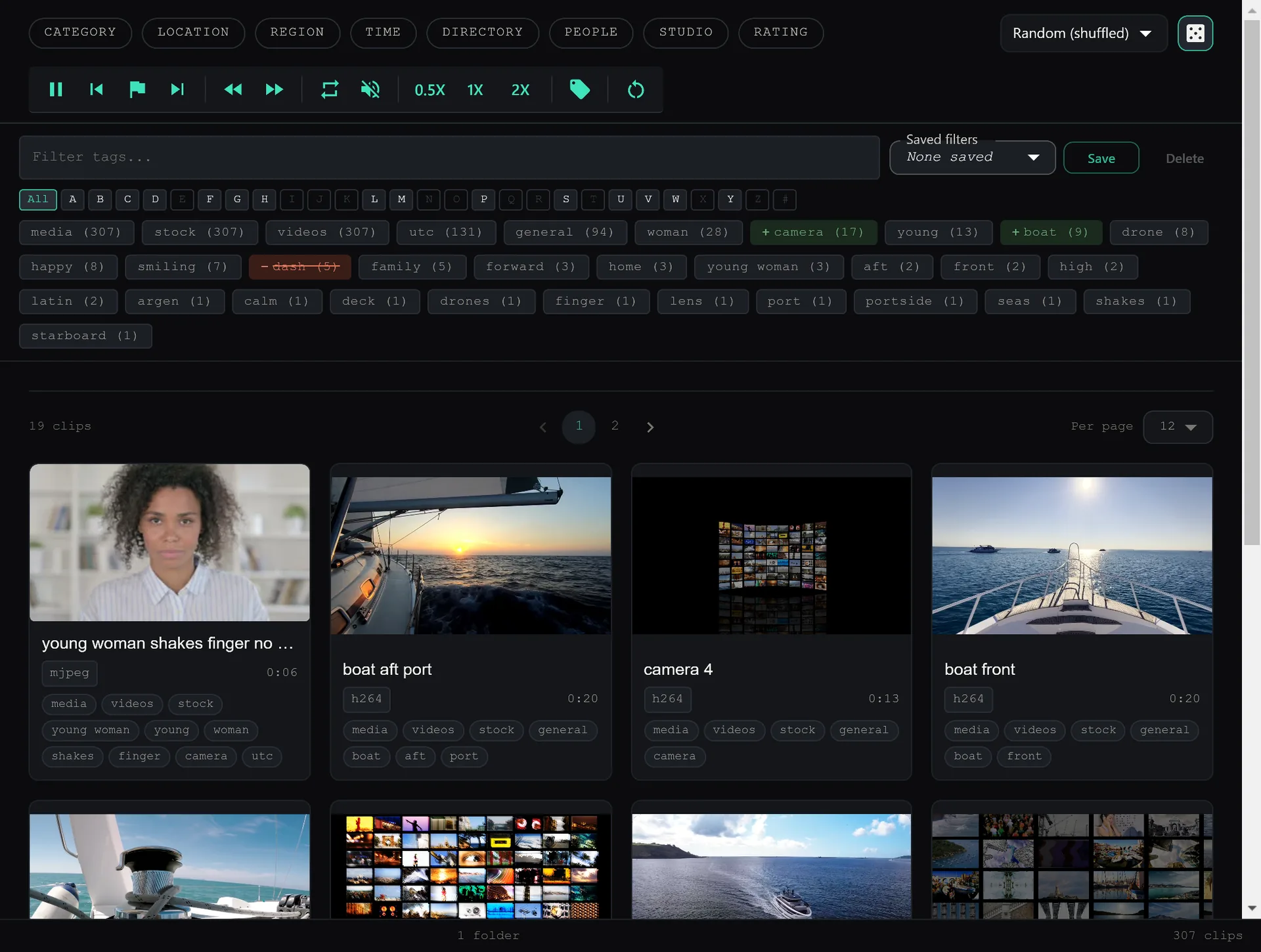
Filter First, Then Randomise
Random discovery is much more powerful combined with filters.
Example: Random From a Category
Open the “Drone” category. Click dice. See a random drone clip from your entire library. Keep clicking to surface more.
Example: Random From a Date Range
Sort by date, filter to a specific year. Click dice. Revisit footage from that period you haven't thought about since you filmed it.
Example: Random From a Custom Tag
Apply a tag filter like keeper or needs-edit. Click dice. Work through your backlog in random order instead of top-to-bottom.
Keyboard Shortcut
Press R at any time to jump to a random video in the current view. No need to reach for the dice button. Stay in the keyboard flow.
Why Random Works
Humans are bad at exploring large archives systematically. We start at the top, get distracted, come back, start at the top again. We never reach page 47 of a 10,000-item library.
Random breaks the pattern. It throws you into parts of your library you never visit deliberately. You find things you forgot you had. You find things you want to re-watch. You find things you want to delete. All of which is useful.
Your best footage might be the clip you filmed three years ago and haven't thought about since. The dice button finds it.
Keep reading
Use Custom Tags to Create Your Perfect System
Auto-tags are great. But your tags are better. Here's how to build a tagging system that fits your workflow — ceremony clips, drone footage, coaching drills, or any category you define.
Favorites & Pinning: Keep Your Best Clips Always Accessible
50 go-to clips in a library of 10,000. Star them. Pin them to top. They stay visible while you sort and cull the rest — use locking to prevent accidental deletion.