Why You Can't Select Your Downloads Folder (And Where to Put Videos Instead)
Tried to select Downloads or System folders? Access denied. Here's why browsers block system folders, how to move your videos to a safe location in 60 seconds, and why this protects your computer.
The Error You See
You try to select Downloads, Desktop, Documents, or Program Files. The browser says “Access Denied” or shows an empty folder list.
This is not a bug. This is intentional security.
Why Browsers Block System Folders
System folders contain sensitive files:
- Downloads: Banking PDFs, tax documents, personal files
- Desktop: Work files, shortcuts, private documents
- Documents: Spreadsheets, presentations, confidential data
- Program Files: System executables, configuration files
If browsers allowed websites to access these folders, malicious sites could steal your data. So browsers block access completely.
Where to Put Your Videos (60-Second Fix)
Create a dedicated video folder outside system directories:
- Go to
C:\(orD:\,E:\, etc.) - Right-click → New Folder
- Name it
VideosorMyVideos - Move your video files into this new folder
- Point SiftVid to this folder
Done. The app works perfectly from here.
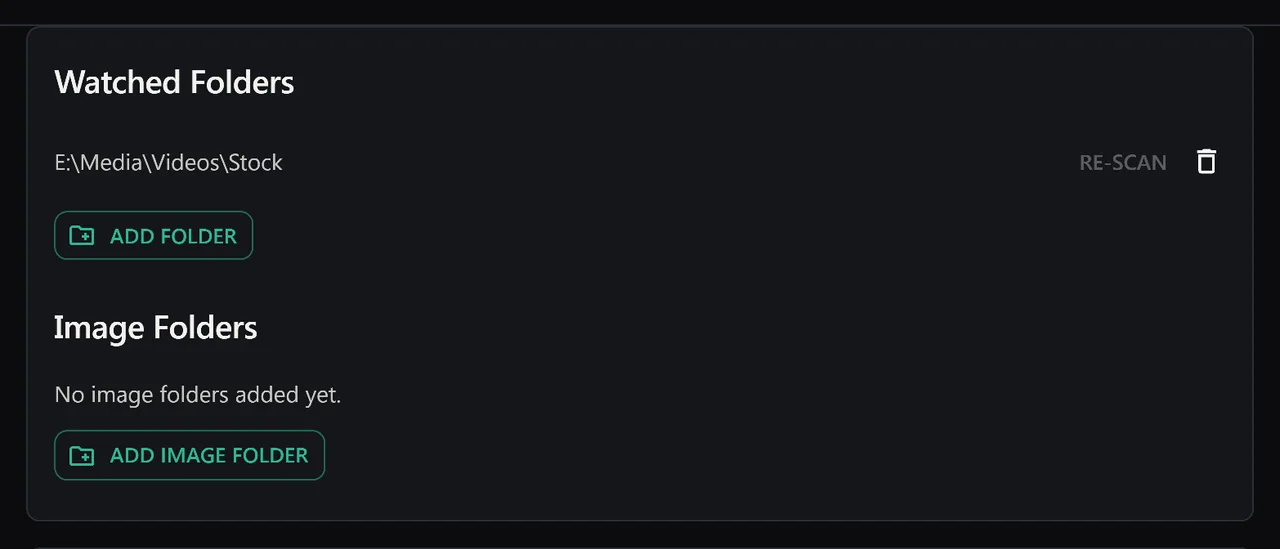
Why This Is Actually Better
Keeping videos in Downloads is messy:
- Downloads fills up with random unrelated files
- Videos mixed with PDFs, installers, and temp files
- Downloads folder often gets auto-cleaned by system tools
- Hard to organize thousands of videos in one giant mixed folder
A dedicated video folder is cleaner. Better organization. Easier to manage. Less risk of accidental deletion.
Multiple Drives
No problem. Create video folders on each drive:
C:\MyVideos
D:\MoreVideos
E:\ExternalVideos
Point SiftVid to all three. We support unlimited folders. Search across all of them at once.
External Drives
USB drives, external HDDs, network drives — all work. Just create a video folder on the drive and select it.
Browsers block system folders for your security. Move videos to a dedicated folder. 60 seconds. Better organization anyway.
Keep reading
Use Custom Tags to Create Your Perfect System
Auto-tags are great. But your tags are better. Here's how to build a tagging system that fits your workflow — ceremony clips, drone footage, coaching drills, or any category you define.
Rediscover Forgotten Files With Random Discovery
You forgot half your collection exists. The dice button brings it back. Filter first, then randomise — surface footage from years ago with one click.