The Complete Search Guide: Find Anything in Seconds
Smart Search finds what you're looking for even with typos. Fuzzy matching. Boolean logic. Category filters. Here's how to dig deep and master the search features to find any video instantly.
Search That Works Like Your Brain
You remember the clip. You don't remember the exact filename. You type something approximate and hope for the best.
SiftVid's search is designed for this. Fuzzy matching, typo tolerance, and multi-token queries mean you find what you're looking for even when you can't remember the exact words.
Basic Search
Typing in the Search Bar
Start typing. Results update in real time, no need to press Enter. Results appear in under 50 milliseconds regardless of library size.
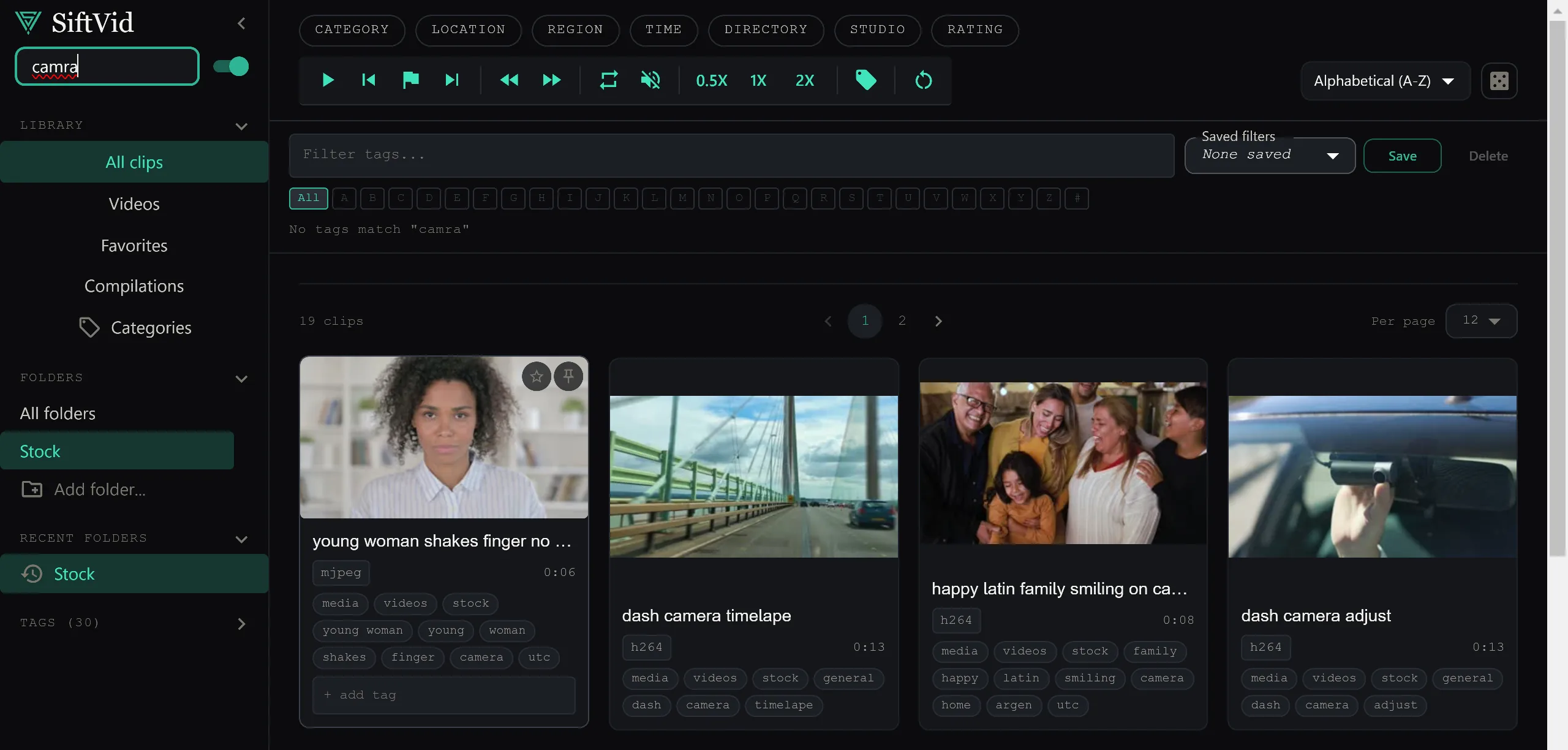
Fuzzy Matching
Type certmony instead of ceremony. SiftVid finds it anyway. Typo tolerance is built in — you don't need perfect spelling to get accurate results.
Multi-Word Search
Type multiple words. SiftVid finds videos that match all of them. wide outdoor 2023 finds clips tagged with all three terms.
Advanced Search
Boolean Logic
Use AND, OR, NOT to build precise queries:
ceremony AND wide— both terms must matchdrone OR aerial— either term matchesoutdoor NOT rain— outdoor clips without rain
Phrase Search
Wrap a phrase in quotes: “first dance”. SiftVid finds that exact sequence of words in filenames and tags, not each word independently.
Field-Specific Search
Prefix a term to search a specific field:
tag:keeper— search only in custom tagscodec:hevc— filter by encoding formatres:4k— filter by resolution
Tag-Chip Filter System
Below the search bar, you'll see tag chips for your library's auto-tags and custom tags. Each chip has four states:
- Off (default) — no filter applied
- Include (single click) — show clips with this tag
- Require (double click) — only show clips that have this AND other required tags
- Exclude (triple click) — hide all clips with this tag
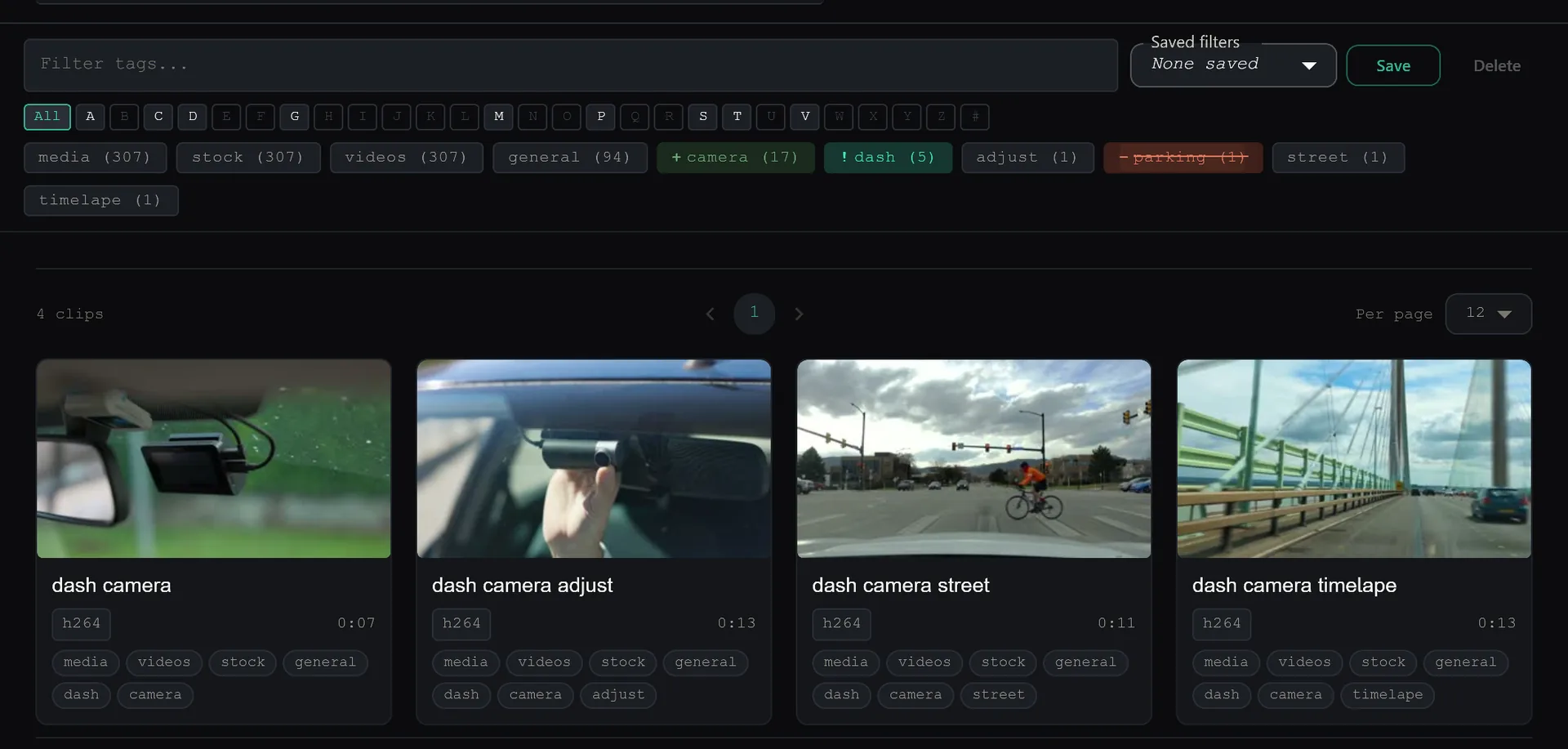
Combine tag chips with the search bar. Search for a subject, then exclude tags you don't want. Results narrow in real time.
Search Meets Sort
Any search result can be sorted. Run a complex multi-tag query and sort the results by duration, date, or file size. The sort persists if you refine your search further.
The best search is the one you never have to think about. Type what you remember. Find what you need.
Keep reading
Why Sort Works Everywhere (And Why That Matters)
Search results, categories, tags — sort by codec, size, duration, or date in any view. Other apps reset your sort when you switch views. SiftVid doesn't.
Preview On Hover: See Before You Click
Hover over any video. Watch a 5-second preview. Click if you like it. Move on if you don't. Never waste time clicking blind again.