Efficient Dashcam Footage Review Workflow
Streamline dashcam and security camera review. Learn how to organize, search, and clip incident footage locally with SiftVid’s smart tags and fuzzy search.
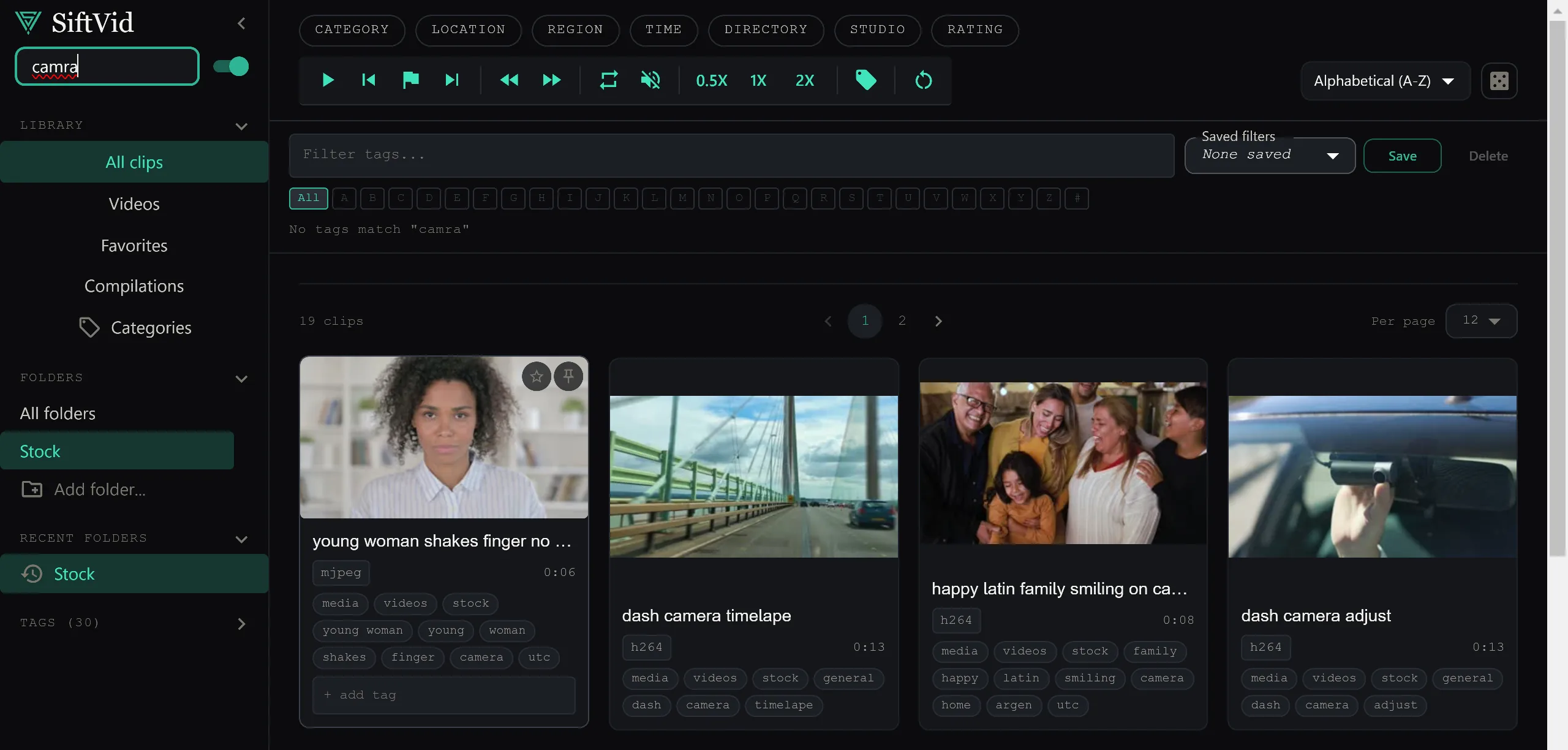
Managing a growing library of dashcam or security camera footage is a logistical headache. Most users end up with terabytes of video files named with timestamps, car model numbers, or camera IDs that make sense to no one but the device that created them. When you need to find a specific incident quickly—whether for insurance claims, fleet safety, or personal security—scrolling through hundreds of videos is impractical and error-prone. The challenge is not just storage, but rapid access and precise extraction of relevant segments.
Why Traditional File Management Fails for Video
The standard operating system file browser is designed for documents, not high-volume video archives. When you have thousands of short clips from a dashcam, the file name is often the only metadata available. Searching for "car accident on 5th street" fails because the file is named CAM01_20231005_143200.mp4. You cannot search by content without a video management system that understands structure, and you cannot efficiently review hours of idle driving footage to find the three seconds of actual movement.
Most cloud-based solutions attempt to solve this by uploading your data to remote servers. This introduces two major problems: latency and privacy. Waiting for files to sync or buffer for preview is too slow for active review. More importantly, sensitive security footage should not be stored on third-party infrastructure. You need a local-first solution that indexes your files immediately and keeps the data on your machine.
Organizing with Smart Tags
The first step in an efficient review workflow is organization. Before you can search, you need to categorize. SiftVid uses smart tags derived from filenames and folder structures to organize your library automatically. If your dashcam saves files in date-based folders, such as 2023/October/Day-5/, SiftVid parses this hierarchy and assigns contextual tags. This means you don't have to manually tag every file; the system infers location and time based on how the files are stored on your disk.
You can also add custom tags to highlight important items. If a particular clip is relevant to an ongoing incident, you can tag it incident or pending-review. These tags work alongside the automated ones to build a rich metadata layer. For example, a file might carry tags for dashcam-front, 2023, October, and incident. This combination allows for precise filtering without opening the video.
Fuzzy Search for Rapid Retrieval
Once your library is tagged, the speed of retrieval becomes the bottleneck. Manual scrolling is out. You need a search engine that understands natural language logic. SiftVid’s fuzzy search supports Boolean operators (AND, OR, NOT) to filter results with precision.
Suppose you are looking for all incident clips from last month that did not involve the front camera. You can search: incident AND 2024 NOT front-camera. The fuzzy aspect means the system can handle slight variations in naming conventions. If some files use cam1 and others use front, you can build queries that capture both. This is critical for mixed-source libraries, such as combining dashcam footage with external security camera feeds that have different naming protocols.
Search is instant because the index is local. There is no network latency. You can iterate on your search queries rapidly, refining the results until you have a shortlist of candidates to review.
Isolating Key Moments with Section Loops
Finding the file is only half the battle. Often, the incident is buried in the middle of a 30-second clip, and you need to extract just that moment for evidence or reporting. Watching the entire clip multiple times to find the exact start and end times is tedious.
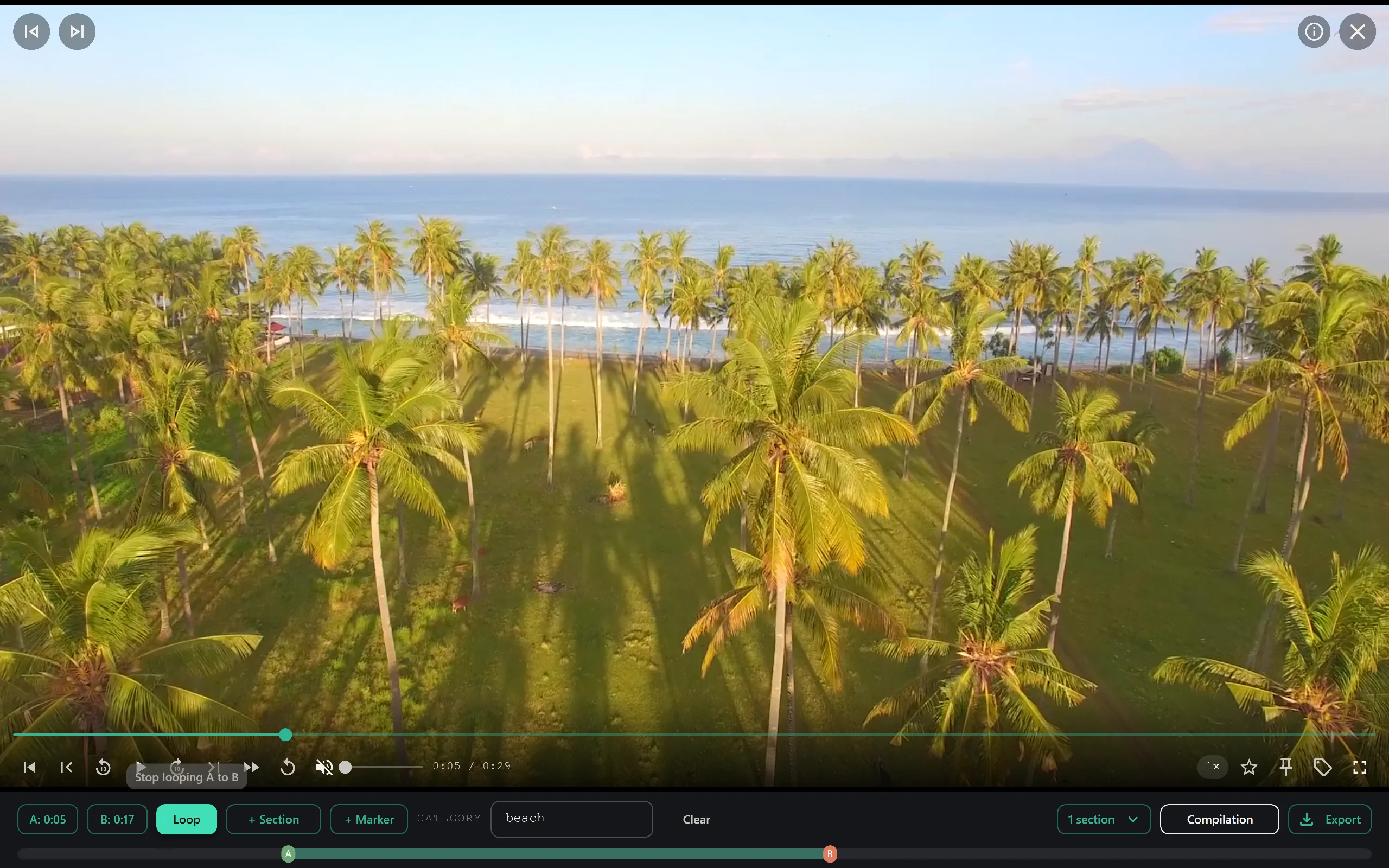
SiftVid’s A-B section loops allow you to mark the start (A) and end (B) points of a relevant segment and loop that section in real-time. You can scrub through the clip, set the A point just before the incident begins, and the B point just after it ends. The loop then plays that segment repeatedly, allowing you to confirm the boundaries without exporting anything yet.
This feature is particularly useful for security cameras where movement is often brief and transient. By isolating the specific window of activity, you reduce the review time from minutes to seconds.
Creating Evidence Packages
Once you have identified and marked the relevant sections, you need to package them for sharing or archiving. Exporting individual clips and manually renaming them is slow and prone to error. You need a way to generate clean, standardized files.
SiftVid allows you to export your selected A-B segments as new MP4, MOV, or ProRes files. You can choose the appropriate format based on the recipient’s needs. For sharing with insurance companies, MP4 is often sufficient. For professional editing or high-fidelity archival, ProRes provides better quality. The export process is local, meaning your original files remain untouched, and the new files are created on your hard drive.
For those who need to integrate video into larger production workflows, SiftVid can generate Premiere Pro XML or DaVinci Resolve EDL cut lists. This allows an editor to drop your selected clips directly into a professional non-linear editing environment with all the timing information intact. This is invaluable if you are creating a detailed report or documentary-style evidence package.
Privacy and Local-First Design
The most critical aspect of reviewing security and dashcam footage is control. Unlike cloud-based services that require you to upload data to their servers, SiftVid is a desktop application that runs entirely on your Windows 10 or 11 machine. Your videos never leave your computer. There is no account creation, no data collection, and no third-party access.
This local-first architecture ensures that sensitive footage remains private. You do not have to worry about data breaches on remote servers or comply with third-party data retention policies. You are in full control of where the files are stored and who can access the physical machine.
The application is a one-time purchase, available on siftvid.com. There are no subscriptions or monthly fees. You can try the full feature set with a 7-day free trial before committing. The software is designed to be straightforward: import your folders, let it tag them, search for what you need, and export what matters.
Streamlining Your Workflow
An efficient review process is about reducing friction. By combining smart tagging, Boolean search, and precise sectioning, you can turn a chaotic library of video files into a manageable archive. The goal is to spend less time looking for the file and more time analyzing the content.
If you are managing fleet vehicles, security systems, or personal dashcams, the time saved on each review adds up quickly. Start by organizing your file structure to be as consistent as possible, then import those folders into SiftVid. Use the features to automate the initial tagging, and then leverage the search tools to drill down to specific incidents.
For more information on how to set up your library, visit the FAQ section. To get started, you can download SiftVid for Windows and begin testing the workflow on a small sample of your footage.
Keep reading
Manage Real Estate Videography Footage Locally
Stop losing property shoots. Local-first tools help real estate videographers organize, tag, and export MP4/ProRes files securely and fast.
Game Film Review Workflow for Coaches
Build an efficient game film review workflow. SiftVid helps coaches tag, search, and cut clips locally on Windows without external data transfer.