Manage Real Estate Videography Footage Locally
Stop losing property shoots. Local-first tools help real estate videographers organize, tag, and export MP4/ProRes files securely and fast.
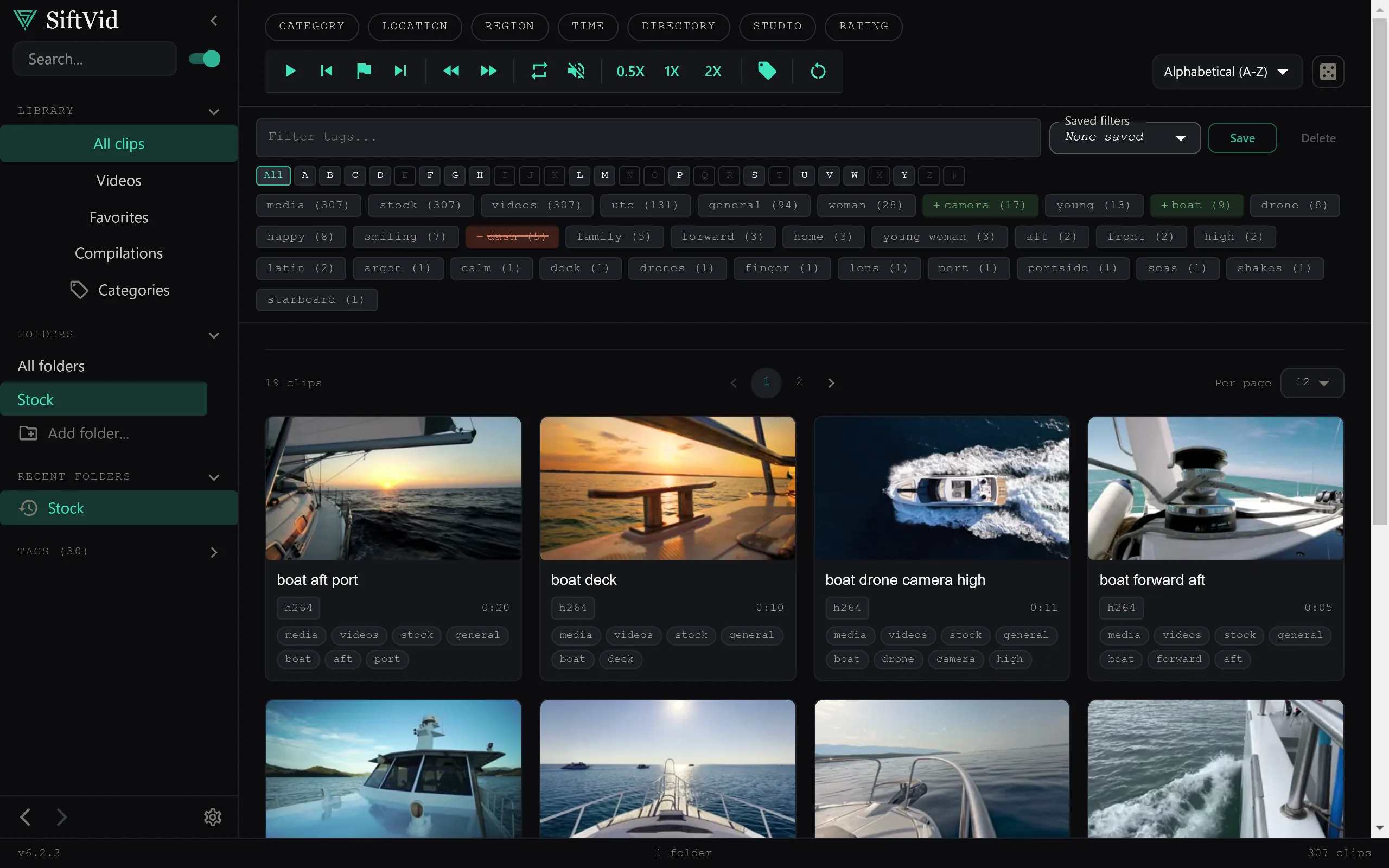
Real estate videographers face a unique organizational challenge: high volume, short deadlines, and strict client privacy requirements. You are not managing a single long-form video project; you are juggling dozens of short clips from multiple properties, often across different days or weeks. Traditional cloud-based media management tools can slow you down. They require uploading, syncing, and waiting. More critically, real estate clients expect their property data to remain confidential. Sending high-resolution pre-views of a new listing to third-party servers before the home is even on the market is a security risk you do not want to take.
The solution is to keep your footage management local, fast, and automated. By using a desktop-first approach, you can tag, search, and organize your property footage instantly without waiting for uploads. This post outlines a workflow for managing property shoot footage locally, focusing on speed, privacy, and seamless handoff to editing software.
Why Local-First Management Wins for Real Estate
Speed is the biggest factor in real estate videography. Clients want listings live quickly. If your workflow depends on syncing files to a remote server, you introduce latency. Every time you want to find that one perfect drone shot of the kitchen, you are waiting for the file to index or download.
Local-first management means your index lives on your machine. Tools that run directly on your Windows desktop can scan your folder structures instantly. This is where a tool like SiftVid becomes useful. It operates without a cloud dependency. Your video files never leave your computer. There is no account to log into, no upload progress bar, and no waiting for a server to process your metadata.
This approach also addresses the privacy concerns specific to real estate. Unlisted properties, luxury homes, and pre-market tours contain sensitive architectural and lifestyle information. By keeping the media library local, you eliminate the risk of data leakage through third-party infrastructure. You maintain total control over who can access the files and when.
Organizing Shoots with Smart Tags and Folders
Real estate shoots are inherently fragmented. A single day might include three different properties, each with interior walk-throughs, drone exteriors, and lifestyle b-roll. Managing these files via standard file explorer is tedious. You end up with folders like IMG_0234, IMG_0235, which tell you nothing about the content.
A robust local management system should leverage your existing folder structure while adding semantic depth. When you import footage into a local library, the software can generate smart tags based on filenames and folder hierarchies. For example, if you organize your drives by Year/Property_Address/Date/, the software can infer tags automatically.
This is particularly helpful when dealing with mixed sources. You might shoot interiors on a mirrorless camera and exteriors on a drone. The file names will differ, but the folder context remains the same. By relying on local folder structures, you create a consistent naming convention that the software can parse without manual intervention. This reduces the time you spend manually renaming files before you even start editing.
Finding the Perfect Clip with Fuzzy Search
Even with good folder organization, finding a specific moment in a 4K video file is difficult. Did you capture the sunset over the roof? Is there a clean wide shot of the master bedroom without a person in the frame?
Standard file search tools are brittle. They require exact matches. A local media manager with fuzzy search capabilities changes this dynamic. You can use logical operators like AND, OR, and NOT to refine your queries.
Imagine searching for kitchen AND wide NOT closeup. A traditional search would fail if the file name didn't contain those exact words. A fuzzy search tolerates imperfect naming and matches against the smart tags derived from your filenames and folder structure. This allows you to retrieve the exact clip you need in seconds rather than minutes. For real estate videographers, this speed is the difference between delivering a listing on time and missing the market window.
You can further refine your workflow by combining search with the category and folder filters described on the features page. This ensures you are pulling the highest-quality footage for the final cut.
Speeding Up Editing with A-B Loops and Cut Lists
Once you have identified the best clips, the next bottleneck is getting them into your non-linear editor (NLE). Usually, this involves renaming files to a specific format, creating a sequence, and manually adding clips to the timeline. This is repetitive and error-prone.
A dedicated local management tool can bridge the gap between media storage and editing. Features like A-B section loops allow you to preview the exact start and end points of a clip before you commit to it. You can loop a segment to ensure the transition is smooth, without scrubbing through the entire file repeatedly.
More importantly, integration with professional editing software is critical. If your tool can export a Premiere XML or DaVinci EDL cut list, you can skip the manual import phase entirely. You select your chosen clips in the manager, generate the cut list, and import it into Premiere Pro or DaVinci Resolve. The sequence is already built. The clips are already in the timeline. You just start adjusting the grade and audio.
This workflow significantly reduces the "post-production" time before editing actually begins. For high-volume real estate work, where you might cut ten videos a month, saving twenty minutes on setup per video adds up to hours of reclaimed time.
Protecting Client Trust with Secure Export
When you are ready to deliver the final video, the format and privacy of the export matter. Real estate agents often need multiple versions: a short social media cut, a full-length tour, and perhaps a high-resolution master for the listing service.
Your local management tool should support professional formats like MP4 and ProRes. MP4 is standard for web delivery, while ProRes is preferred for archival or high-end post-production. Being able to export directly from your local library to the correct codec ensures quality is maintained without intermediate re-compression.
Furthermore, the local-first nature of the workflow means you do not have to worry about "cloud locks" or access controls that expire. Your media library is yours. If you decide to leave a brokerage or change agents, your footage organization system moves with you. There is no account recovery process to go through to access your own work.
To understand how this impacts your overall cost structure, it is worth reviewing the pricing model of such tools. Unlike cloud services that charge monthly for storage and bandwidth, a one-time purchase local tool offers predictable costs. You pay once, and you own the software.
A Practical Workflow for Property Shoots
Here is how this local-first approach looks in practice for a typical real estate shoot:
- Ingest: After the shoot, copy the footage from your cameras to your local hard drive. Organize them into folders by property address.
- Index: Open your local media manager and add the root folder. Let the software scan the directory. It will automatically generate smart tags based on the folder names.
- Cull: Use fuzzy search to find key moments. Look for
exterior AND drone,interior AND living room, etc. Mark the best clips. - Refine: Use A-B loops to trim the start and end of each selected clip. Ensure there are no unwanted pauses or cuts.
- Export: Generate a Premiere XML or DaVinci EDL file containing only the marked clips.
- Edit: Import the XML/EDL into your NLE. The sequence is ready. Edit the transitions, add music, and color grade.
- Deliver: Export the final video from your NLE.
This workflow eliminates the manual culling step that plagues most videographers. Instead of scrubbing through hours of 4K footage, you rely on a fast, local index to surface the right clips.
The Case for Ownership
In an industry increasingly dominated by recurring payment models, moving your critical workflow back to a locally owned tool is a strategic decision. You are not renting access to your own files. You are buying a tool that enhances your existing hardware.
The lack of cloud dependency means no internet connection is required to manage your library. This is useful if you are working on-site or in areas with poor connectivity. It also means no data breaches caused by cloud provider vulnerabilities.
For real estate videographers, the combination of speed, privacy, and seamless integration with editing software is non-negotiable. You need to turn around listings fast. You need to keep client data secure. You need to produce professional results without the friction of cloud syncing.
A local-first media manager handles these requirements without compromise. It turns your raw footage into an organized, searchable asset that is ready for editing in minutes.
If you are looking to streamline your real estate video workflow, consider how a local tool fits into your current process. You can download the software to test it on your own footage. The interface is designed for speed, allowing you to navigate large libraries without lag.
Check out the full feature list to see the specific export options and search capabilities. And if you have questions about file formats or compatibility, the FAQ covers common technical details.
By keeping your management local, you keep control of your business. You move faster, you protect your clients, and you produce better work. That is the standard for professional real estate videography.

Keep reading
Efficient Dashcam Footage Review Workflow
Streamline dashcam and security camera review. Learn how to organize, search, and clip incident footage locally with SiftVid’s smart tags and fuzzy search.
Game Film Review Workflow for Coaches
Build an efficient game film review workflow. SiftVid helps coaches tag, search, and cut clips locally on Windows without external data transfer.