Folders vs Tags: Video Organization Strategy
Stop fighting nested folders. Learn how to use SiftVid’s smart tags and hybrid structure to scale your local video library efficiently.
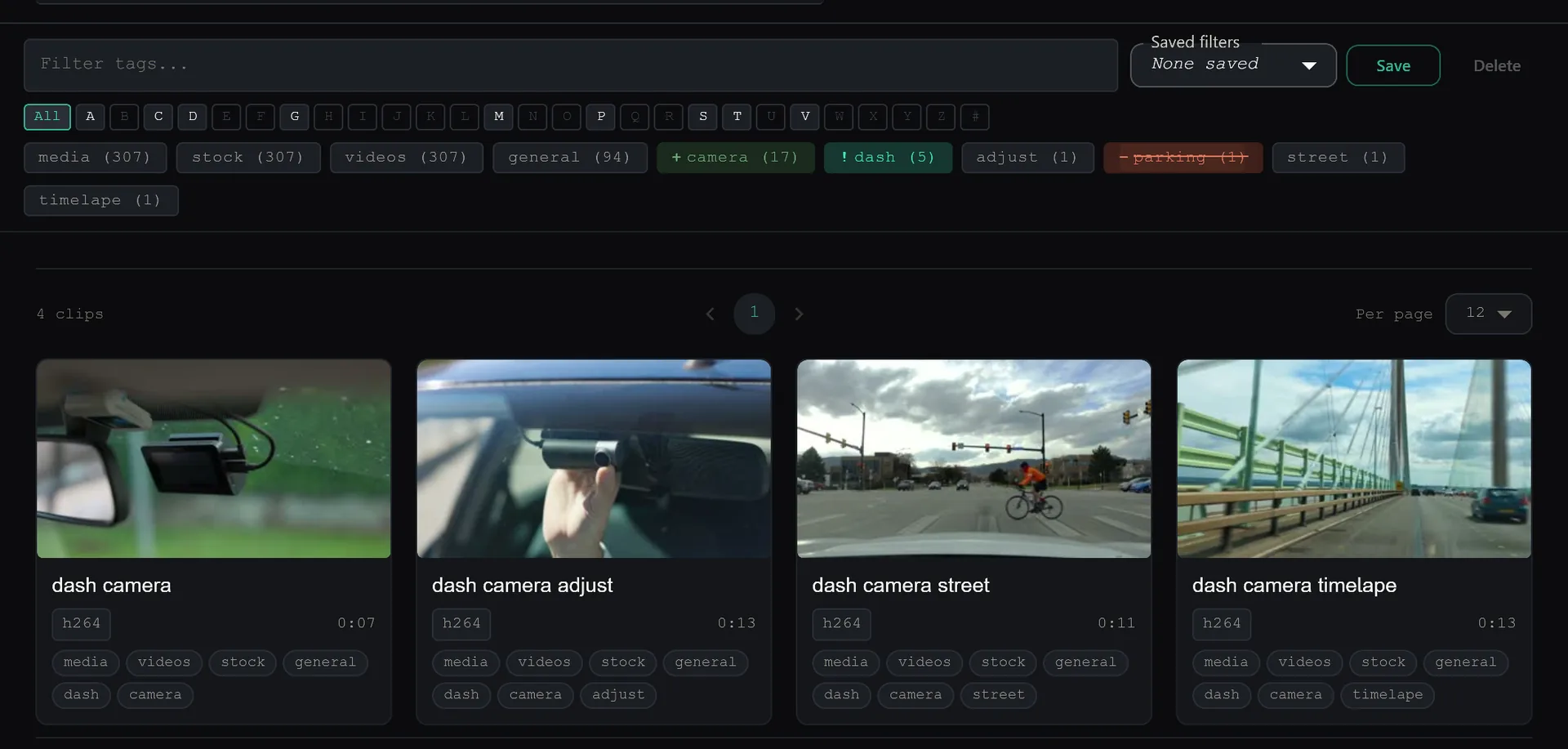
Managing a growing video library is a riddle of your own making. At first, a few top-level folders work fine. Then you acquire 500 clips from a weekend shoot, mixed with client deliveries, personal vlogs, and raw footage from three different cameras. Suddenly, your folder structure is a mess. You are either creating endless nested directories that are too deep to navigate or flattening everything into one bin and losing context entirely.
The core problem with traditional file management on Windows is the rigidity of the filesystem. A file can only exist in one place. If you shoot a "sunset" clip that fits into both your "Travel" folder and your "Golden Hour" folder, you are forced to make a choice. You either duplicate the file, wasting disk space, or you accept a loss of contextual access. This binary constraint breaks down quickly as your library scales.
The solution is not to abandon folders for tags, or vice versa. The solution is a hybrid strategy where folders handle broad, structural categorization, and tags handle granular, cross-referencing metadata. SiftVid is built specifically to support this hybrid model, moving away from the rigid tree structure of Windows Explorer.
Why Folders Alone Fail to Scale
Folders are hierarchical and exclusive. In a standard Windows directory, a video file named drone_shoot_001.mp4 must reside in exactly one directory path, such as D:\Video\2023\Summer\Drone.
This structure creates two major workflow bottlenecks:
- The Nesting Trap: To find a specific clip, you often need to click through five or six folder levels. This adds friction to every search. If you misplace a file in the wrong year or the wrong project folder, it effectively disappears from your view.
- Context Silos: Folders cannot describe what is in the video. A folder named "Wedding 2023" tells you the event, but it doesn't tell you which clips contain the "ceremony," the "speeches," or the "outdoor shots." You have to open each file to check.
For small libraries, muscle memory compensates for this lack of metadata. But once you cross the threshold of several hundred clips, manual navigation becomes slow and error-prone. You stop organizing because the cost of maintaining the hierarchy outweighs the benefit.
The Power of Flexible Tagging
Tags, unlike folders, are non-exclusive and flexible. A single video file can carry multiple tags simultaneously. In SiftVid, you can assign "sunset," "drone," "4k," and "client-ready" to the same file without breaking your file system.
However, manual tagging is a known pain point. If you have to open the metadata editor for every single file to add five tags, you will abandon the system. The strategy that works is not just adding tags, but automating the initial layer of organization so that your manual tagging effort focuses on high-value data.
SiftVid addresses this by generating smart tags automatically from filenames and folder structures. If you maintain a basic folder logic like Project/Year, SiftVid reads those locations to create initial metadata. This means you don't start from a blank slate. You start with a structured baseline that you can then refine. For more on how this automation works, see the full feature list.
Building the Hybrid Structure
A scalable strategy uses folders for "container" concepts and tags for "attribute" concepts.
Use Folders for:
- Root Categories: Raw Footage, Finished Projects, Assets, Archive.
- Time-Bound Projects: A folder for "Client A - 2023" is useful because the project has a definitive start and end.
- Resolution or Format Separation: If you work heavily in ProRes but archive in MP4, keeping them in separate root folders can help with disk management.
Use Tags for:
- Content Description: "Sunset," "Interview," "B-Roll."
- Status: "Edited," "Final," "Client Approved," "To Delete."
- Technical Attributes: "10bit," "HDR," "LUT Applied."
- Cross-Project References: A "Logo" asset used in every project. With folders, you'd have to duplicate it. With tags, you tag it once as "Asset/Logo" and find it anywhere.
In SiftVid, Category Theater stitches the segments matching a category into a continuous preview loop. You can watch every clip tagged "4k" and "Client Approved" back to back, bypassing the folder hierarchy entirely. This rolling preview is critical for editors who need to review assets quickly during a session, rather than navigating a directory tree.
Search is the Ultimate Organizer
The true test of an organization strategy is search speed. A perfect folder structure is useless if you can't find a file in under five seconds. Windows Search is notoriously poor at indexing video metadata. It finds filenames, but it rarely understands the content or the metadata you manually entered.
SiftVid utilizes a fuzzy search engine that understands complex queries. Instead of browsing folders, you type. The search supports AND, OR, and NOT operators, allowing for precise filtering.
For example, if you want to find all drone footage from last summer that is not yet edited, you can query: drone AND 2023 NOT edited. This query ignores your folder structure entirely and returns results based on your tags and metadata. This capability shifts the organizational burden from "where do I put this file?" to "what do I want to find?"
You can go further with the built-in train-your-own AI. If you mark a handful of A-B sections showing a specific visual subject and train the linear probe, it learns to recognize that subject across the library — no manual tagging of every file required.
Managing the Workflow
The key to making this strategy work is consistency in how you apply the hybrid model. Here is a practical workflow for a new project:
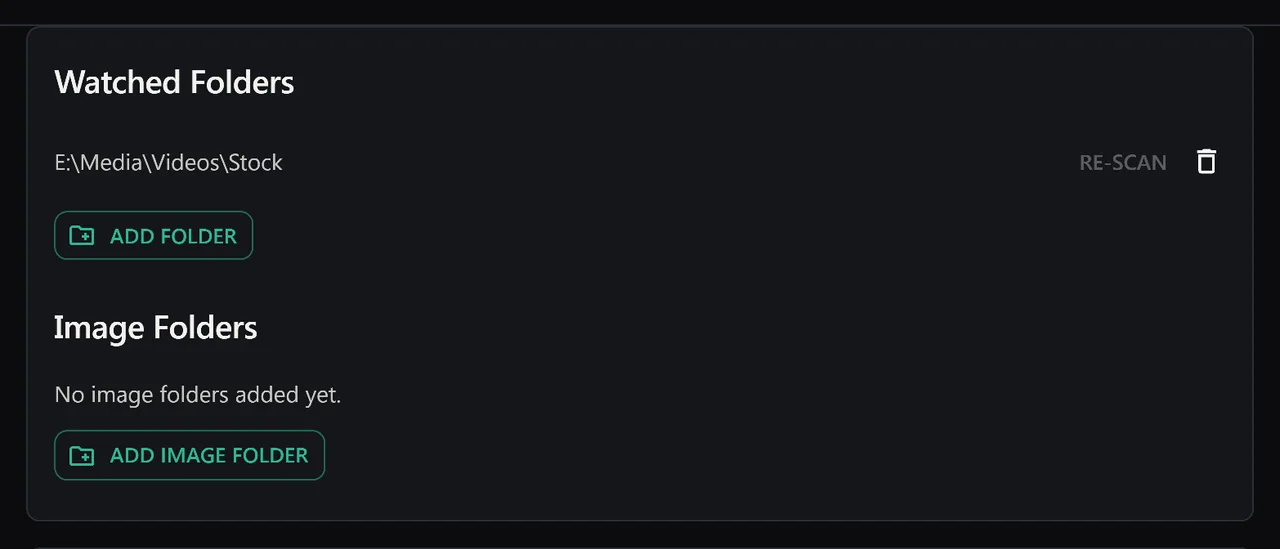
- Ingest: Import raw files into a dedicated project folder on your local drive. SiftVid scans this folder and automatically generates smart tags based on the filename and location.
- Review: Use the SiftVid interface to review the auto-generated tags. Correct any obvious errors. Add specific content tags (e.g., "Interview - CEO") that filenames don't capture.
- Process: As you edit, add status tags. Move files between "Raw" and "Edited" folders if you prefer physical separation, or rely solely on status tags for filtering.
- Deliver: When the project is done, tag all final files with "Client Approved." You can now export a list of these files, or mark the best ones as favorites and use the Make Trailer feature to compile a summary reel instantly.
Because SiftVid is local-first, all this metadata processing happens on your machine. There is no account creation, and no worry about your private video library being sent to a remote server. Your tags and search index stay with your files. If you have questions about privacy or how the local index works, check the FAQ.
Avoiding Common Pitfalls
When transitioning to a tag-heavy workflow, two mistakes are common:
Over-Tagging: Adding too many tags to every file slows down search and makes the interface cluttered. Stick to a limited vocabulary. Create a consistent list of 20-30 core tags and stick to them. You can always add more later, but you cannot easily rename thousands of tags at once.
Under-Using Folders: Don't flatten everything into a single directory. A root folder structure helps you manage disk space and backup strategies. Use folders to group logically distinct sets of files (e.g., by client or by year) and use tags to handle the internal complexity of those sets.
Scaling to Thousands of Files
The difference between a 100-file library and a 5,000-file library is not the number of files, but the complexity of relationships between them. A folder-only system grows linearly in complexity; a hybrid system grows logarithmically.
By leveraging SiftVid's local-first architecture and smart tagging, you build a system that gets easier to use as it grows. The search index becomes richer, the tag taxonomy becomes more defined, and the friction of finding specific clips drops to near zero.
You are not just organizing files; you are building a searchable database of your creative work. The strategy that scales is the one that separates the rigid structure of the filesystem from the flexible reality of content. Folders provide the map. Tags provide the details. SiftVid provides the lens to see both at once.
To start implementing this strategy, you can download SiftVid and begin organizing your library today. The free trial allows you to test the smart tagging and fuzzy search features on your existing files, so you can see the efficiency gains firsthand before committing. You can view the pricing details to see how the one-time purchase compares to other tools.
Keep reading
Organize Wedding Videography Footage Archives
Streamline your wedding video archive. Learn how to organize raw clips, automate tagging, and export cut lists using local-first desktop tools.
Send Cut Lists to Premiere & DaVinci
Export Premiere XML and DaVinci EDL cut lists directly from your SiftVid library. See how to manage complex edits and deliver clean project files.