Jellyfin alternative for Windows video libraries
SiftVid is a local-first Jellyfin alternative for Windows. No server needed. Just smart tags, boolean search, and NLE export for your personal video library.
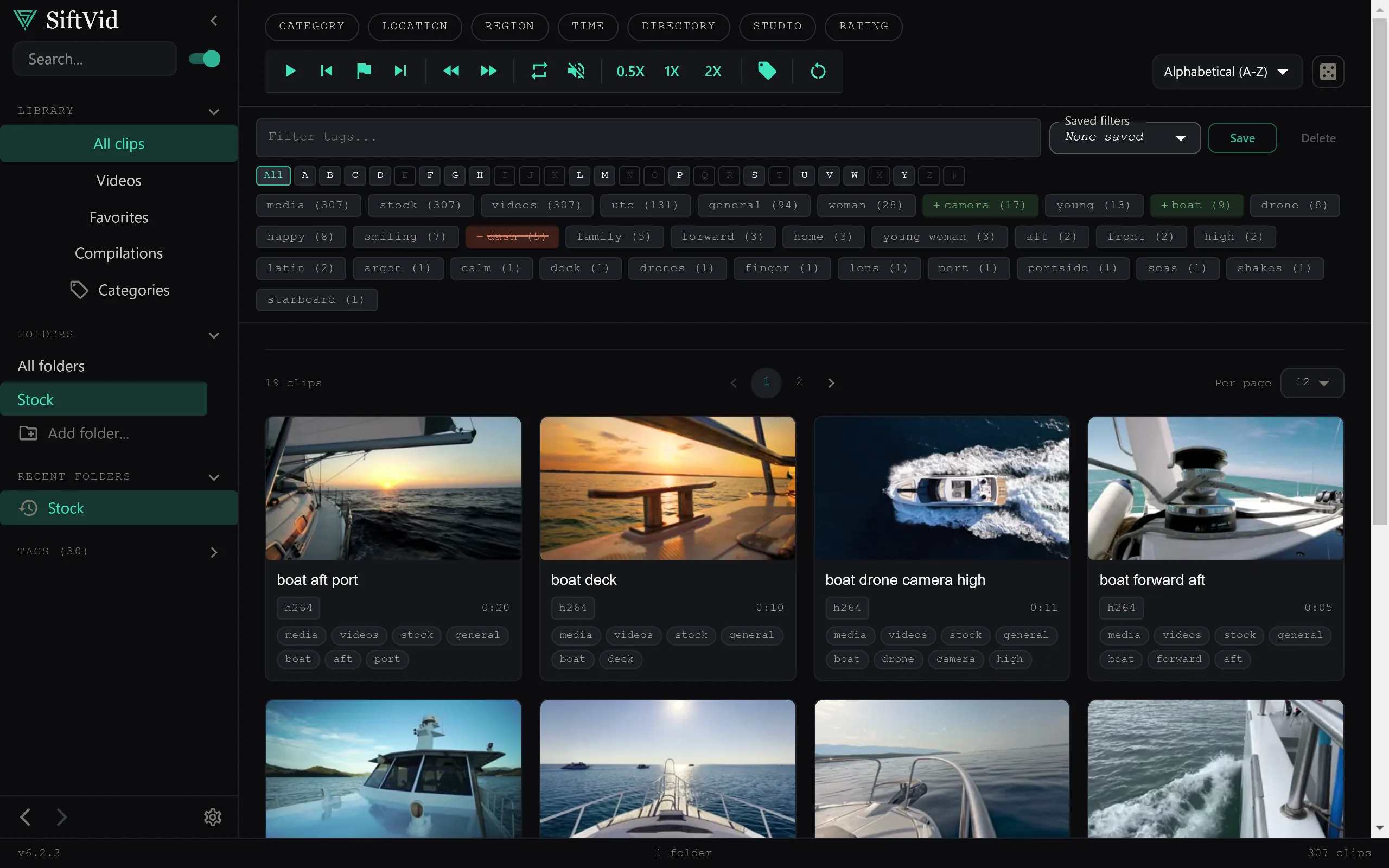
Running a Jellyfin server is a popular way to manage media, but it comes with specific requirements: an always-on machine, network configuration, and a web interface. For many Windows users, this overhead is unnecessary. If your goal is simply to organize, search, and edit clips from a local folder of videos on a single PC, a dedicated desktop application is often a more efficient tool than a streaming server.
This post looks at why a local-first desktop app might replace your Jellyfin setup for personal use, specifically focusing on how SiftVid handles library management, search, and asset preparation for creators.
Why Local-First Beats Server-Based for Single-Machine Workflows
Jellyfin is designed for streaming content across a local network or via reverse proxies to remote locations. Its core value is accessibility from multiple devices. However, if you are working on a single Windows machine for content creation, editing, or personal archiving, the server architecture introduces friction. You are essentially paying in complexity — network configuration and an always-on background service — for a feature you may not use: remote access.
SiftVid takes a different approach. It is a Windows 10/11 desktop application that treats your local hard drive as the library. There is no account creation and no video data leaving your machine. The software reads metadata directly from your files. This makes it ideal for sensitive content or high-bandwidth workflows where you want instant, lag-free interaction with your media files without waiting for a web server to render thumbnails or process queries.
Because it runs locally, the search and management features are responsive and do not depend on network latency. If you want a private, fast library on a single workstation, SiftVid is built for exactly that shift.
Smart Organization Without Manual Tagging
One of the common complaints about local media players or basic file managers is the lack of structured metadata. Jellyfin handles this by scraping external databases, which works well for movie and TV libraries but can be less effective for raw footage, tutorials, or personal recordings that lack standardized naming conventions.
SiftVid uses "smart tags" derived from filenames and folder structures to automatically organize your content. If you keep a consistent folder hierarchy or naming convention, the app indexes this information to create a browsable structure. This is particularly useful for creators who have years of footage scattered across external drives. You can browse by date, project, or source without manually editing metadata fields for hundreds of files.
For users coming from a server-based setup, the transition is straightforward. You point the app to your library folders, and it begins indexing the local filesystem. There is no database to configure or user profiles to set up. The result is a lightweight library view that mirrors how your files are already organized on disk, augmented with search capabilities that a standard file explorer lacks.
You can explore the full range of organization tools, including how the app handles large-scale directories, on the features page.
Fuzzy Search and Boolean Logic for Rapid Retrieval
When managing a personal library that includes raw clips, b-roll, and edited segments, finding a specific moment can be time-consuming. Standard file searches are exact-match and rigid. SiftVid implements fuzzy search that tolerates typos and partial terms, allowing you to find files even if you don’t remember the exact filename.
More importantly, the search engine supports Boolean operators: AND, OR, and NOT. This allows for complex queries that mirror how you might think about a project. For example, you can search for clips that contain "interview" AND "studio" but NOT "outtake". This level of query precision is rare in basic media players and is typically only found in dedicated database-driven systems or advanced media managers.
This feature set is particularly powerful for creators who need to assemble sequences quickly. Instead of scrolling through folders, you can use search logic to pull up all relevant clips for a specific segment of a video. If you are used to the search capabilities of a streaming server, you will find that a local desktop search with Boolean logic feels more immediate and precise for active project work.
To see how search interacts with the rest of the workflow, check out the FAQ for answers to common technical questions.
Beyond Playback: Editing and Export Capabilities
A key difference between a streaming server and a creative tool is post-processing. Jellyfin is a player and organizer; it does not edit video. If your workflow involves trimming, looping, or exporting clips, you would typically need to export from Jellyfin to a separate non-linear editing software (NLE) like Premiere Pro or DaVinci Resolve.
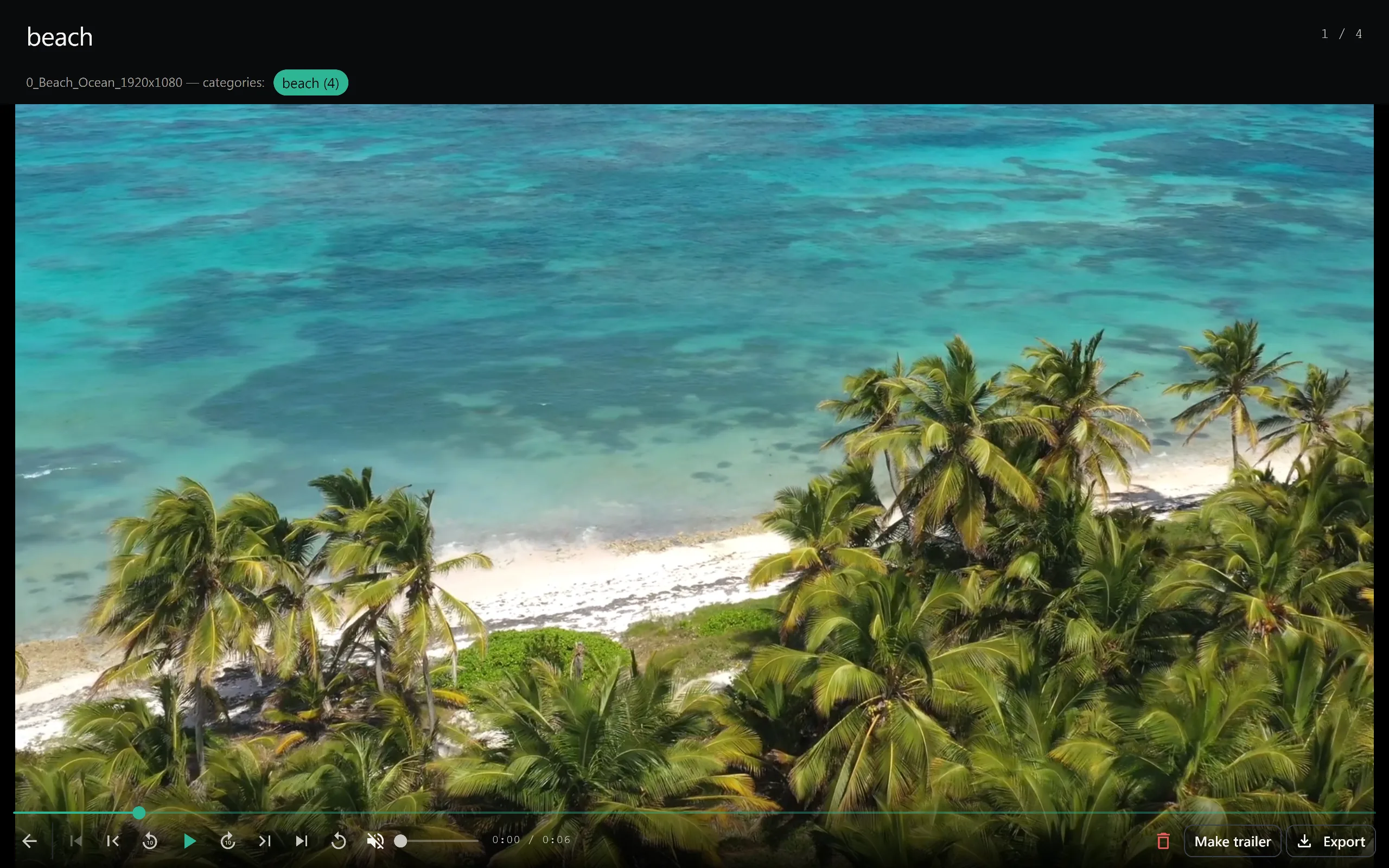
SiftVid bridges this gap by including basic editing tools directly within the library view. You can use A-B section loops to preview segments repeatedly, which is useful for checking pacing or syncing audio. The "Make Trailer" feature allows you to quickly assemble a sequence of clips.
For professional workflows, the export options are where the tool stands out. You can export clips as MP4, MOV, or ProRes, preserving quality for downstream editing. More importantly, SiftVid generates Premiere XML and DaVinci EDL cut lists. This means you can select a series of clips in SiftVid, export the cut list, and drag it directly into your NLE. The timeline is pre-built. This eliminates the tedious process of manually ingesting and trimming clips in your editing software.
This workflow integration is a significant advantage for creators who previously relied on servers for storage but still spent hours in NLEs managing timelines. By combining organization and rough-cutting in one local app, you reduce context switching. You can learn more about the export formats and NLE integration on the pricing page, where you can also start your 7-day free trial.
Getting Started with a Local Library
If you decide that a desktop-first approach fits your workflow, setting up SiftVid is a matter of downloading the Windows installer. There is no cloud account to register for or server to configure. The application is a one-time purchase, removing the recurring costs associated with some media management platforms.
- Download the application from the download page.
- Install on your Windows 10/11 machine.
- Point the app to your local video folders.
- Use fuzzy search and Boolean logic to locate clips.
- Loop sections for review or export cut lists to your preferred editor.
This setup is particularly effective for users who find the complexity of server-based solutions like Jellyfin unnecessary for their single-machine workflow. It provides the organizational benefits of a structured library with the immediate performance of a local application.
For those considering the switch, the 7-day full-access trial allows you to test the search and export features against your existing library without commitment. This is a practical way to verify that the local-first model aligns with your daily usage patterns before making a final decision.
Conclusion
Jellyfin remains an excellent choice for streaming media to multiple devices across a network. However, for users who primarily work on a single Windows PC for video creation, archival, or detailed asset management, a local desktop application offers a more streamlined experience. SiftVid replaces the server overhead with direct file access, combining intelligent local organization, powerful Boolean search, and NLE-compatible export tools. By keeping everything on your machine, you gain privacy, speed, and a workflow that connects directly to your editing processes.
Keep reading
Organize Family Videos Locally with SiftVid
Learn how to organize a lifetime of family videos on your local PC using SiftVid. Keep files private, searchable, and safe from remote risks.
Organize Band Rehearsal Videos Fast
Stop losing takes in file sprawl. Use SiftVid to tag, search, and loop specific song sections in your local band video archive.