Kodi alternative for organizing local video files
Stop wrestling with Kodi scrapers. Use SiftVid, a local-first Windows tool, to organize media with smart tags and fuzzy search without online dependencies.
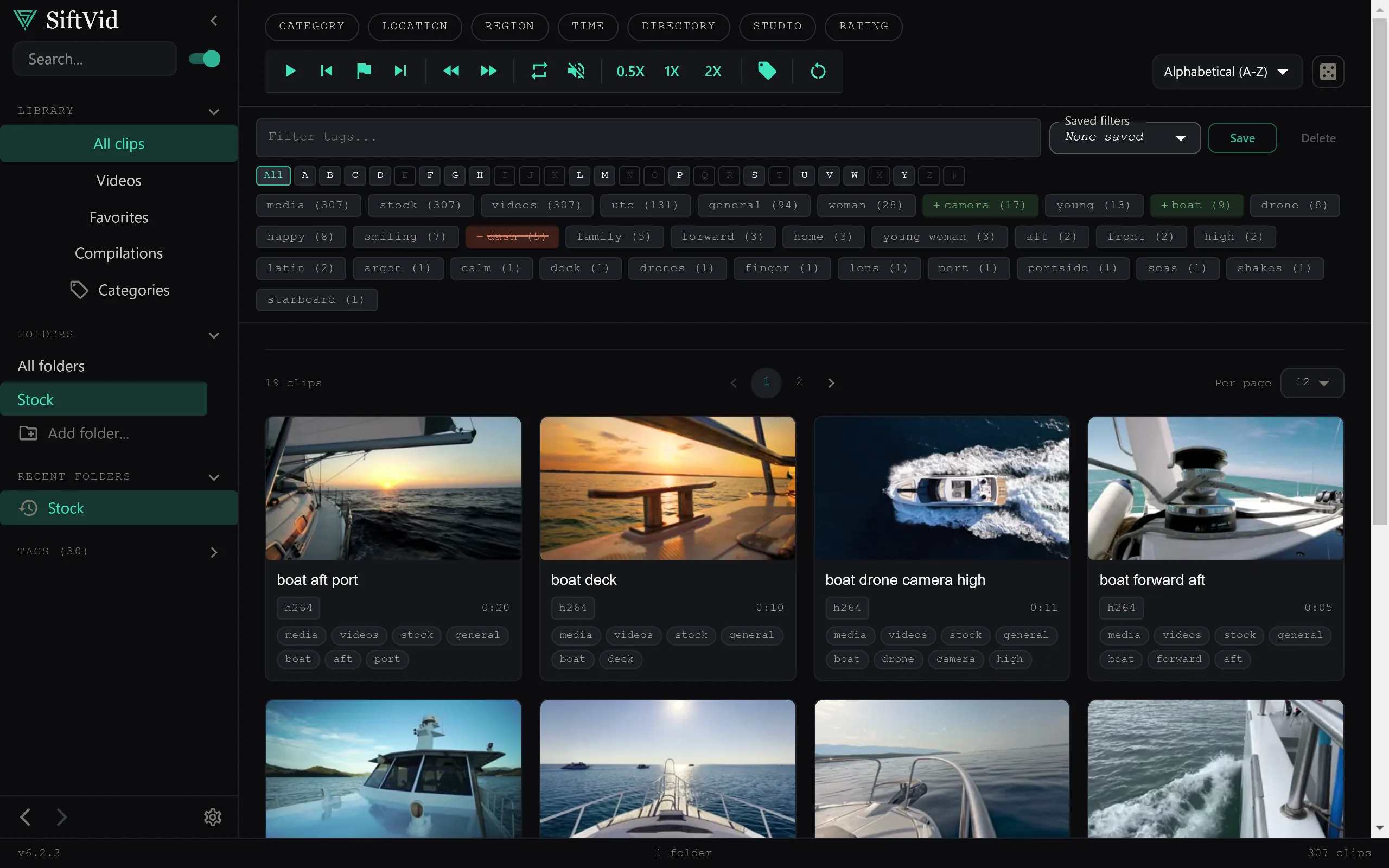
If you have ever spent more time configuring XML scrapers, debugging broken plugin dependencies, or renaming files to match a specific database standard than actually watching your videos, you might be ready for a different approach. Kodi is an excellent media center for playback, but its organization features are tightly coupled to online metadata sources. When those sources fail, or when your library contains personal files, outtakes, or content that isn't in a global database, the system falls apart.
SiftVid offers a distinct alternative for organizing local video files. It is a lightweight Windows desktop application designed specifically for managing, tagging, and retrieving video libraries that live entirely on your own hardware. By shifting the focus from "playing" to "managing," it solves the structural problems of local media without relying on third-party web services.
A Local-First Approach to Video Organization
The core philosophy of SiftVid is simple: your videos never leave your machine. There is no account creation, no remote data synchronization, and no data collection. When you add a folder of videos, the software builds a local index. This makes it an ideal Kodi alternative for organizing local video files that you want to keep private or that simply don't fit into rigid, database-driven metadata structures.
For users who prefer total control over their data, this local-first architecture is a significant advantage. Unlike media centers built around online metadata scrapers and database-driven libraries, SiftVid operates independently. You install the application on Windows 10 or 11, point it at your video directories, and it works. The absence of a remote backend means zero latency when searching and zero risk of external services changing their API or going offline.
Smart Tagging Without Metadata Databases
Traditional media centers rely on heavy metadata scraping to identify movies and TV shows. If the scraper cannot match a filename to a known ID, the item is often left as a generic "Unknown Video." SiftVid handles organization through smart tags derived directly from filenames and folder structures.
This method is particularly effective for libraries that do not consist solely of commercially released titles. For example:
- Camera Offsets: If your files are named
2023-05-12_Wedding_Drone.mp4, the software intelligently extracts the date, event type, and source device. - Folder Hierarchies: Placing files in folders like
/Archive/2024/Projects/allows SiftVid to apply hierarchical context to your tags automatically. - Custom Tagging: You can apply your own tags manually or via batch operations to categorize videos by project, client, or mood.
This approach is more transparent than black-box AI recognition. You know exactly why a video is tagged a certain way because the tags are derived from the file's existing structure. It is a practical solution for creators, archivers, and hobbyists who need order without the fragility of external metadata sources.
Fuzzy Search for Faster Retrieval
Once your library is tagged, finding specific clips should be instantaneous. SiftVid features a fuzzy search engine that supports logical operators: AND, OR, and NOT. This is a massive improvement over simple text search, which often returns too many or too few results.
Consider a scenario where you are editing a video project and need a specific asset. Instead of browsing folders, you type into the search bar:
drone OR aerial AND sunset NOT blurry
SiftVid instantly filters your library to show only videos that match this complex logic. The fuzzy matching also tolerates minor typos, so searching for "drorn" will still return results for "drone." This makes it a powerful Kodi alternative for organizing local video files in large, unstructured archives where manual browsing is inefficient.
For a deeper dive into the search capabilities and how they handle complex library structures, you can review the full feature breakdown on the features page.
Workflow Enhancements for Editors and Creators
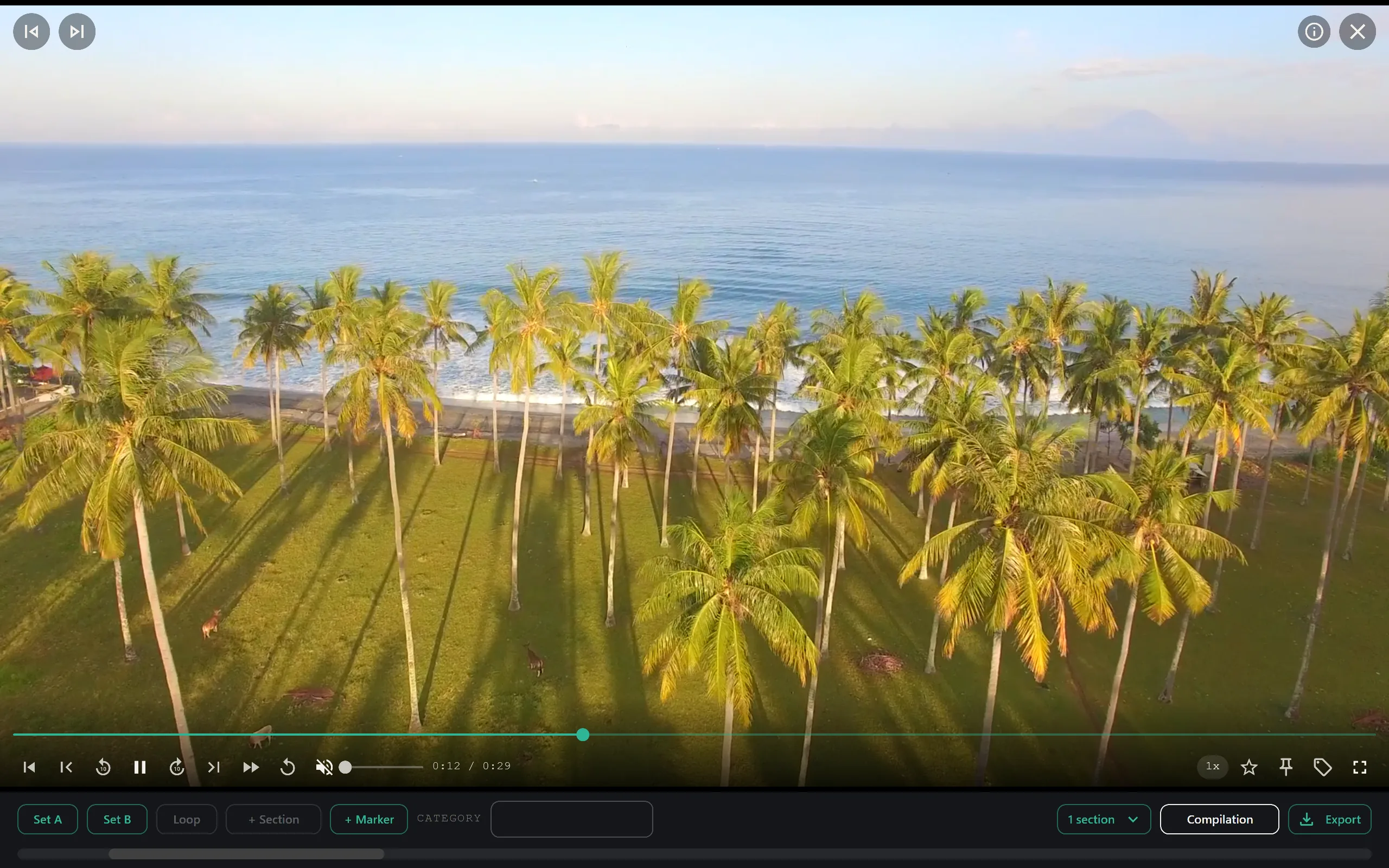
While organization is the primary goal, SiftVid includes features that benefit those who use their video libraries for production work. The tool includes A-B section loops, which allow you to preview a specific segment of a video repeatedly. This is useful for selecting the best take from multiple recordings or checking for continuity errors before final export.
If you are looking to share a highlight reel or a summary of your project, the Make Trailer feature helps you assemble quick previews from your selected clips. Furthermore, SiftVid exports standard industry files: MP4/MOV/ProRes for media files, and Premiere XML and DaVinci EDL cut lists. This ensures that when you are ready to move from organization to editing, your timecodes and clip selections are preserved and ready to drop into your NLE.
For users interested in the specific output formats and post-production integrations, the FAQ section details supported codecs and export options.
Train-Your-Own Linear Probe AI
SiftVid includes a machine learning component that sets it apart from basic file managers. It features a train-your-own linear probe AI. Unlike out-of-the-box AI models that may struggle with niche content, this linear probe can be trained on your specific library.
How it works:
- Mark examples: Using the A-B section tool, mark at least five sections of video that show what you want the model to recognize — a specific subject, a type of shot, a recurring visual element.
- Train the probe: Click "Train Probe." SiftVid trains the lightweight linear probe locally on your hardware, learning from your marked examples in under two minutes.
- Export compilations: The trained model recognizes your custom subject across the library, and you can export compilations of what it finds.
Because this is a train-your-own model, it adapts to your specific content. If you collect vintage home movies, the AI learns what "grainy," "1980s," or "family" looks like in the context of your files. It does not rely on seed packs or pre-loaded datasets that might be irrelevant to your archive. This makes the AI a personalized assistant rather than a generic classifier.
For information on how to get started with the AI training process, you can visit the download page to install the app and begin indexing your library.
Comparison: Why Choose a Local Organizer?
Many users stick with Kodi because it is open-source. However, open-source software often shifts the cost to your time. Configuring scrapers, resolving library mismatches, and maintaining plugin compatibility can become a part-time job.
SiftVid is a one-time purchase, available for $14.99. This low barrier to entry, combined with a 7-day full-access free trial, allows you to test the workflow without financial commitment. There is no recurring fee, no monthly charge, and no tiered access unlocking. You buy the software, and it stays with you.
The decision to switch often comes down to control. If you want a media player that looks like a movie theater, Kodi is excellent. But if you want a tool that organizes, tags, and helps you find your files quickly—without the internet, without accounts, and without scraper headaches—SiftVid is a dedicated solution.
Getting Started with SiftVid
To begin organizing your local video files, the process is straightforward:
- Download the Windows installer from the official site.
- Launch the app and select the directories containing your video files.
- Index your library. The software scans filenames and folder structures to generate initial tags.
- Refine tags using the search bar and manual tagging tools.
- Export your organized clips and cut lists as needed.
Because the application is local-first, you do not need to wait for remote synchronization or worry about bandwidth limits. Your library is as fast as your hard drive.
For details on system requirements and the trial period, check out the pricing page. Whether you are managing a small collection of personal vlogs or a large archive of professional footage, moving to a local-first, tag-based organization system can save hours of frustration. SiftVid provides the tools to take back control of your video library, keeping it private, organized, and easy to search.
Keep reading
Plex Alternatives for Local Files & Private Media
Explore Plex alternatives for private media. SiftVid is a local-first Windows app for searching, tagging, and editing clips without accounts or cloud reliance.
Manage Real Estate Videography Footage Locally
Stop losing property shoots. Local-first tools help real estate videographers organize, tag, and export MP4/ProRes files securely and fast.