Organize Lecture Recordings with Local-First Search
Manage lecture recordings on your Windows PC. Use SiftVid's local-first fuzzy search and smart tags to find clips fast without sending data off-device.
Creating online courses often feels like an archival nightmare. You have hundreds of hours of raw footage, intermediate cuts, and final exports scattered across different drives. Most video management solutions try to solve this by uploading your content to a server. For course creators, this is problematic. Lecture recordings contain proprietary intellectual property, unedited student interactions, and sensitive material that shouldn't live on a third-party server. You need a tool that respects your data sovereignty while giving you the power to find that one specific sentence from three weeks ago.
SiftVid addresses this by running entirely on your Windows 10 or 11 desktop. It is a local-first application, meaning your videos never leave your machine. There is no cloud upload, no account creation, and no server latency. You point it at your course folders, and it indexes the filenames and folder structures to build a smart, searchable library.
Why Local-First Matters for Course Creators
When you manage lecture recordings, privacy is not just a preference; it is a compliance and security requirement. If a student records a class or a lecturer discusses proprietary case studies, sending that metadata or media files to a remote server introduces unnecessary risk.
SiftVid operates offline. When you open the application, it scans the directories you designate. It reads the file names and folder hierarchies to assign smart tags. Because the process happens locally, there is no bandwidth bottleneck — even a large library of 4K lecture recordings indexes at local drive speed, because no data is transmitted over the internet. This local-first approach ensures that your course materials remain exactly where they are: on your controlled hardware.
Finding Specific Content with Fuzzy Search
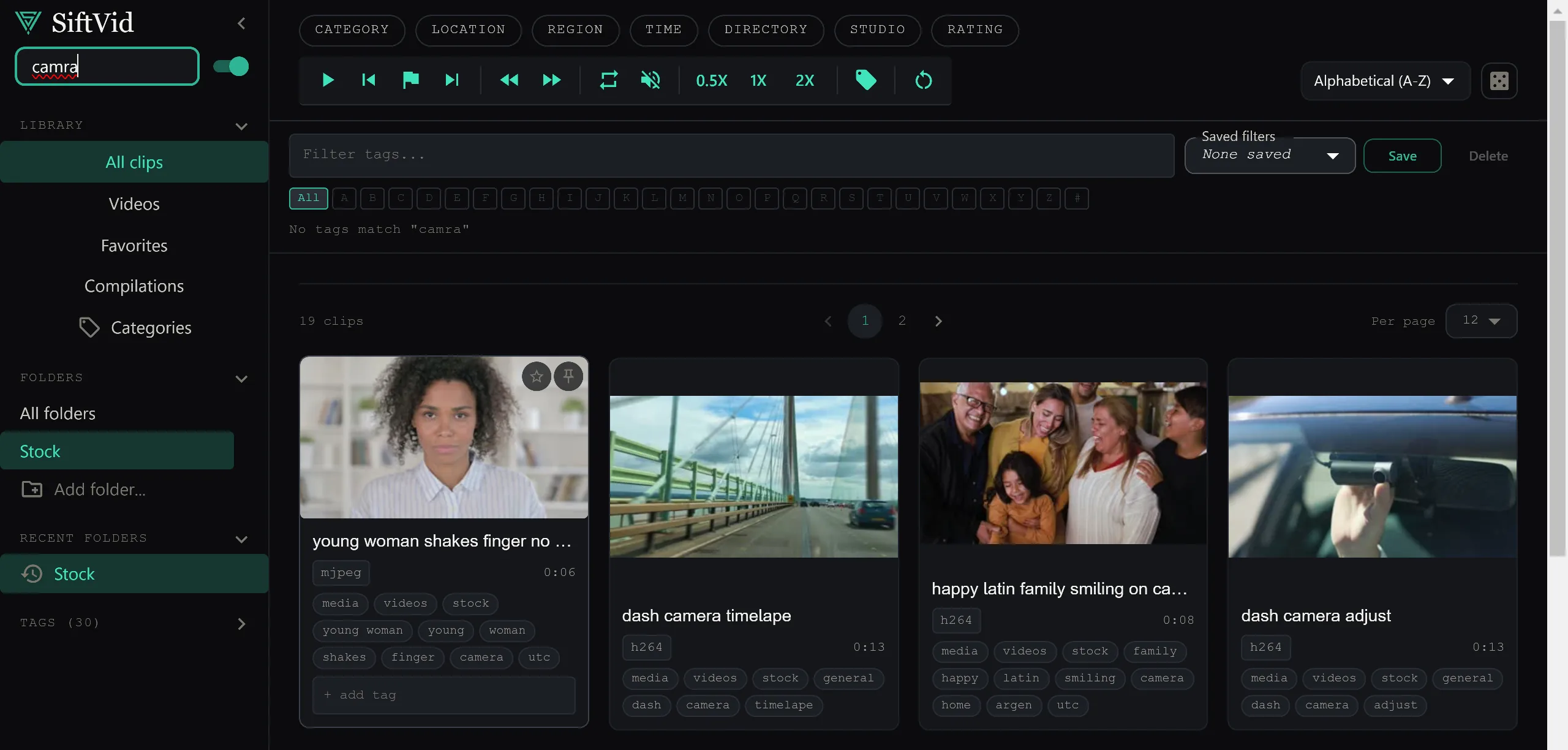
The most common pain point in video editing is recall. You know there was a segment where you explained a specific formula, but you don't remember which file it is in. Standard file managers require you to guess the exact filename. SiftVid uses fuzzy search with Boolean operators (AND, OR, NOT) to let you dig through your library using natural, imperfect queries.
Imagine you are looking for the section where you discussed "market volatility" but you might have used the word "instability" instead. You can type market OR instability to catch both variations. If you want to exclude the introductory segments, you can add NOT intro to the query. This level of precision is crucial when you are building a long-form course. Instead of scrubbing through 15 minutes of video to find a 30-second clip, you can query the library and jump directly to the relevant files.
You can read more about how these search operators work in the full feature list to see examples of complex queries that save hours of scrubbing time.
Leveraging Folder Structure for Smart Tags
SiftVid doesn't just look at the file name; it understands your directory structure. If you organize your course as CourseName / Module 01 / Lecture 03 / Raw Footage, SiftVid parses this hierarchy. The tags are derived automatically from this structure. This means you don't have to manually tag every single file. If you follow a consistent naming convention, your library becomes searchable by module, lecture number, and file type without any manual metadata entry.
This is particularly useful for multi-semester course creators. You can maintain a master folder structure that spans years, and the search remains consistent because the logic is tied to the file path, not a centralized database that might get out of sync.
Workflow Integration for Editing
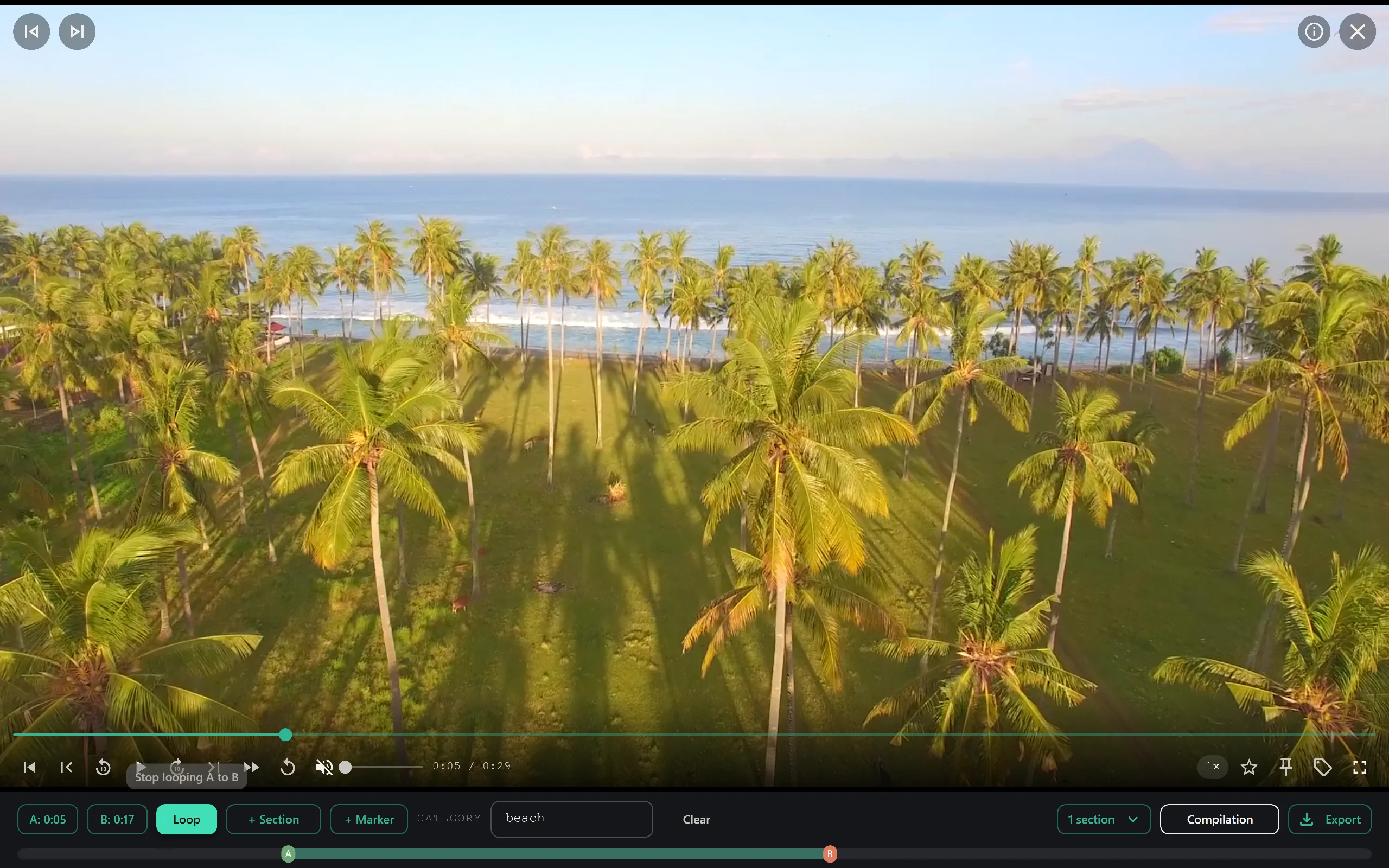
Once you have located the correct files, you need to cut them. SiftVid includes tools to assist with the pre-editing phase. You can define A-B section loops to preview specific segments without rendering a new file. This is helpful for quality control. You can quickly check if the audio levels are correct in a specific lecture segment or if a slide transition was captured clearly.
After you have identified your clips, you can export a cut list. SiftVid supports exporting Premiere XML and DaVinci EDL files. This allows you to send your selected clips directly into your professional editing suite. You don't have to re-mark in/out points in Premiere or DaVinci; the selection work is done in SiftVid, and the project file is handed off cleanly. This bridge between media management and non-linear editing is where the time savings compound over a large course project.
Preserving Audio-Visual Quality
Course recordings often involve screen captures with audio overlays, which can result in mixed bitrates and codec complexities. SiftVid handles MP4, MOV, and ProRes formats natively. When you use the export features, you build cut lists and exports for just the segments you need while the original master files stay untouched.
If you are curious about the specific export formats and how they interact with your editing workflow, the pricing page details the full-access features included in the one-time purchase, which ensures you aren't locked out of advanced export options later.
Managing Your Library with Simple Pricing
One of the biggest hurdles in managing digital assets is the cost of tools that scale with storage. If you have terabytes of lecture recordings, cloud-based solutions can become prohibitively expensive. SiftVid is a one-time purchase of $14.99. There are no recurring costs, no storage quotas, and no "premium" tiers for advanced search. You pay once, and the tool works as long as your Windows computer does.
You can start testing this workflow with the 7-day free trial. It is the perfect time to set up a trial run with your oldest, most disorganized module to see how the indexing and search performance holds up.
Getting Started with Your Course Library
To begin, you need to have your videos stored locally. Ensure your file naming conventions are as descriptive as possible, leveraging the folder structure to denote modules and lectures. Then, download the application from the download page to install the Windows app.
Once installed, you will walk through the initial setup where you select your root course directories. The indexer will run, and you can begin experimenting with Boolean search queries. If you run into specific technical questions about supported codecs or folder limitations, the FAQ section covers the most common technical queries.
For course creators, the value of SiftVid lies in its restraint. It does not try to be a media player with a social feed, nor does it try to be a cloud service. It is a precision tool for locating and preparing local video files for production. By keeping your data local and your search powerful, you reclaim the hours lost to file hunting and focus on what matters: the quality of the educational content.
Visit the SiftVid home page to learn more about how local-first video management fits into your production pipeline.
Keep reading
Manage Real Estate Videography Footage Locally
Stop losing property shoots. Local-first tools help real estate videographers organize, tag, and export MP4/ProRes files securely and fast.
Organize Family Videos Locally with SiftVid
Learn how to organize a lifetime of family videos on your local PC using SiftVid. Keep files private, searchable, and safe from remote risks.