Organize Video Library Windows: Local-First Method
Learn how to organize video library Windows files using smart tags, fuzzy search, and local AI. No cloud uploads, no account required.
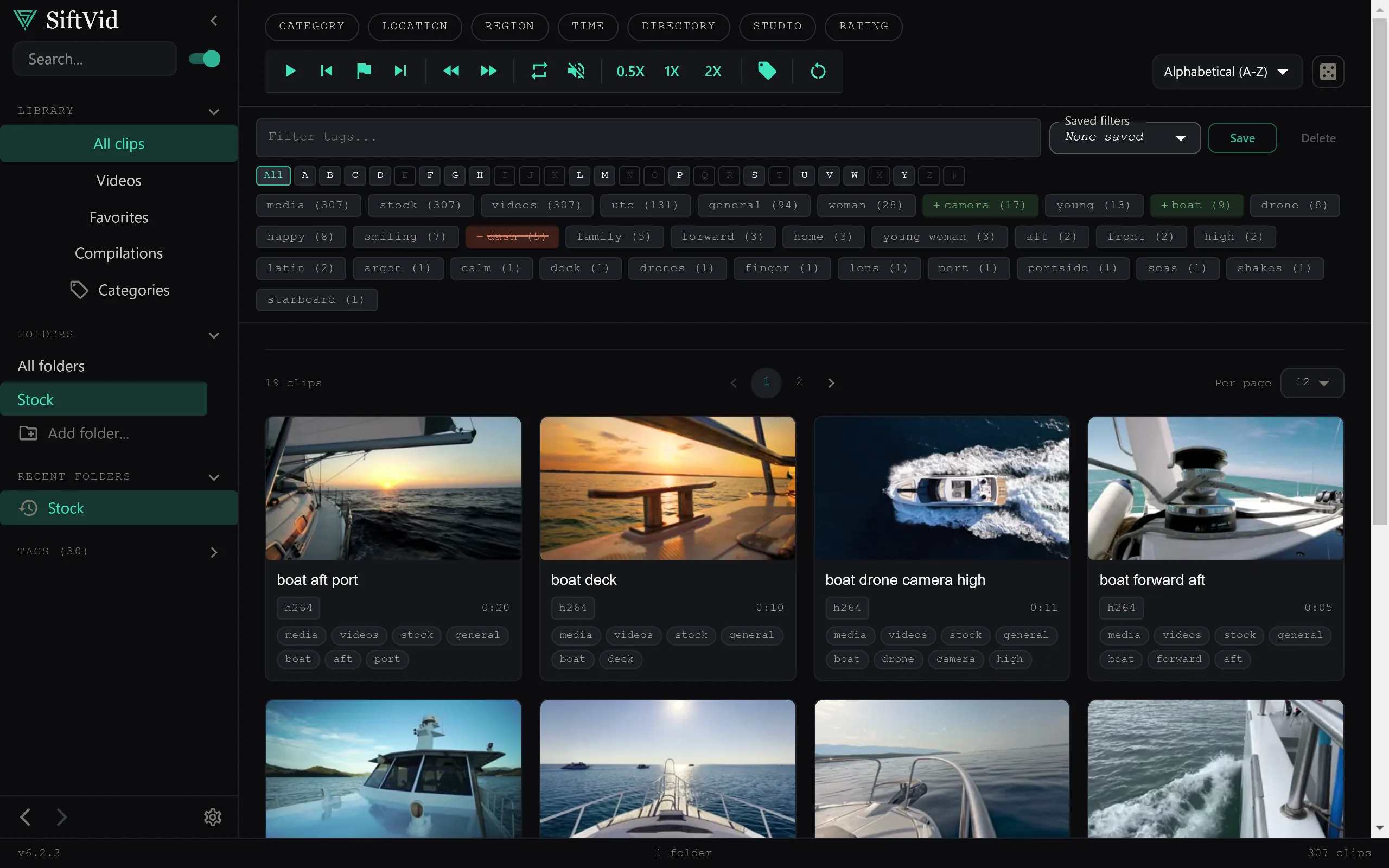
Most desktop video managers fail because they prioritize network connectivity over local speed. You end up waiting for metadata to sync or wondering if your private media is being stored on someone else’s infrastructure. If you are looking for a way to organize video library files on Windows that respects privacy and speed, the solution lies in moving away from network-dependent tools toward local-first applications.
The core problem with traditional folder structures is rigidity. A video file can only live in one place. If a clip involves three different people and belongs to two different event types, you are forced to make an arbitrary choice or create duplicate files that bloat your storage. Modern local management tools solve this by separating the file location from the metadata structure.
The Limits of Folder-Based Organization
For years, the standard advice for video organization has been "just use folders." It works for 100 files. It breaks at 1,000. When you have mixed content—home videos, concert recordings, screen captures, and raw footage—nested folders become a labyrinth.
Worse, folder names are static. You cannot easily tag a file as both "2023" and "Vacation" and "Camping" without copying the file. You also cannot search for "beach" if the filename is VID_2023-04-12.mp4. This is where local-first video managers shine. By using a database that indexes the files on your hard drive without moving them, you can apply infinite metadata tags without duplicating a single byte of video data.
Smart Tags and Fuzzy Search
The most significant hurdle in organizing a large library is retrieval. If you cannot find it, the library is useless.
Effective video management relies on two distinct search mechanisms:
- Deterministic Search: Filtering by exact tags, dates, or file sizes.
- Fuzzy Search: Natural language or approximate matching.
For example, if you typed "concert night" into a search bar, a fuzzy search engine might match files tagged with "Concert," "Live," or "Performance," even if the exact phrase doesn't appear in the metadata. Advanced search syntax, supporting AND, OR, and NOT operators, allows you to refine results. You can search for tag:beach AND tag:sunset NOT tag:draft to find specific moments without wading through deleted or unfinished clips.
SiftVid handles this entirely locally. The search index is built on your machine. There is no latency from sending queries to a remote endpoint and waiting for a response. You type, and results appear instantly, even with tens of thousands of clips. You can explore how these search features integrate with your workflow by checking out the full feature list.
Privacy as a Core Feature
When organizing sensitive or personal video collections, the destination of your data matters. Many modern tools require you to move media to a remote server to build their indexes. This creates a security perimeter that did not exist before the app was installed.
A local-first approach means the video file never leaves the directory it was stored in. The application creates a separate index file—essentially a map of your library. If you delete the app, the videos remain untouched in their original folders. No accounts are required, and no data is held on remote infrastructure. For anyone concerned about data sovereignty, this is the defining feature of a trustworthy desktop application.
Building a Personal AI Model
Traditional metadata tagging requires manual effort. While auto-tagging based on filenames is helpful, it lacks context. For example, a file named IMG_4921.mp4 tells you nothing about the content.
This is where local AI models come into play. However, generic AI models are often too broad. A general-purpose model might tag a kitchen scene as "food," but it won't know that in your specific library, that kitchen scene is part of a "Home Renovation" project.
This is where the ability to train a custom linear probe becomes invaluable. Instead of relying on a pre-trained, one-size-fits-all model, you can train a lightweight model on your own collection. You tag a subset of your videos manually, and the model learns the specific vocabulary of your library. Because this happens locally, your training data never leaves your computer. You are not contributing to a corporate dataset; you are building a personal semantic map of your media. If you are curious about the technical specifics of how this training process works, the FAQ section provides deeper insights.
Exporting and Workflow Integration
Organizing is only half the battle; the other half is working with the organized files. Whether you are a prosumer creating a highlight reel or a professional handing off an edit list, the output format matters.
Standard video managers often lock you into their own editor. However, flexibility is key. You need to export cut lists in industry-standard formats so you can continue working in your preferred post-production suite.
- Premiere Pro XML: Allows you to open your organized clips directly in Adobe Premiere.
- DaVinci Resolve EDL: Enables timeline reconstruction in DaVinci Resolve.
- MP4/MOV/ProRes Export: For final deliverables that need to be shared or archived.
If you need to create a quick summary, A-B section looping allows you to isolate specific segments for review without creating new files. This is crucial for maintaining non-destructive workflows. The SiftVid home page showcases several of these workflow tools in action.
Getting Started with Local Organization
Transitioning from a folder-based system to a metadata-based system requires a shift in mindset. You are no longer organizing by location; you are organizing by context.
To start, you don't need to migrate your entire hard drive at once. Begin with a single category of media—perhaps a year of family videos or a specific project. Drag those files into a local manager, and let the smart tags pull information from filenames and folder structures. Then, refine those tags with fuzzy search to find related content you might have missed.
The process is iterative. As you tag more content, your search results become more precise. As you train your local model, your auto-suggestions become more relevant to your specific usage patterns. You can begin this process immediately by downloading SiftVid for Windows.
Why Local-First Wins
The trend toward network-only media management has made video libraries brittle. If a service shuts down, your index is gone. If access is revoked due to account changes, your library disappears. With a local-first application, the library is yours. It persists regardless of internet connectivity or corporate decisions.
For users on Windows 10 or 11, the desktop paradigm is finally catching up with modern AI capabilities without sacrificing the privacy and speed that desktop environments are known for. You get the power of fuzzy search and AI-assisted tagging without the overhead of network dependency.
Conclusion
Organizing a video library on Windows does not have to mean endless hours of manual renaming or trusting your data to a remote provider. By using a local-first application with smart tags, fuzzy search, and custom AI training, you can build a media library that is fast, private, and deeply personalized.
The goal is not just to store files, but to make them findable and usable. When search takes milliseconds and your data never leaves your drive, the friction of organizing disappears. You stop thinking about where files are and start thinking about what they mean.
Ready to take control of your media? Check out SiftVid to see how local-first organization works in practice, or start a 7-day free trial with full access to all features.
Keep reading
Manage Real Estate Videography Footage Locally
Stop losing property shoots. Local-first tools help real estate videographers organize, tag, and export MP4/ProRes files securely and fast.
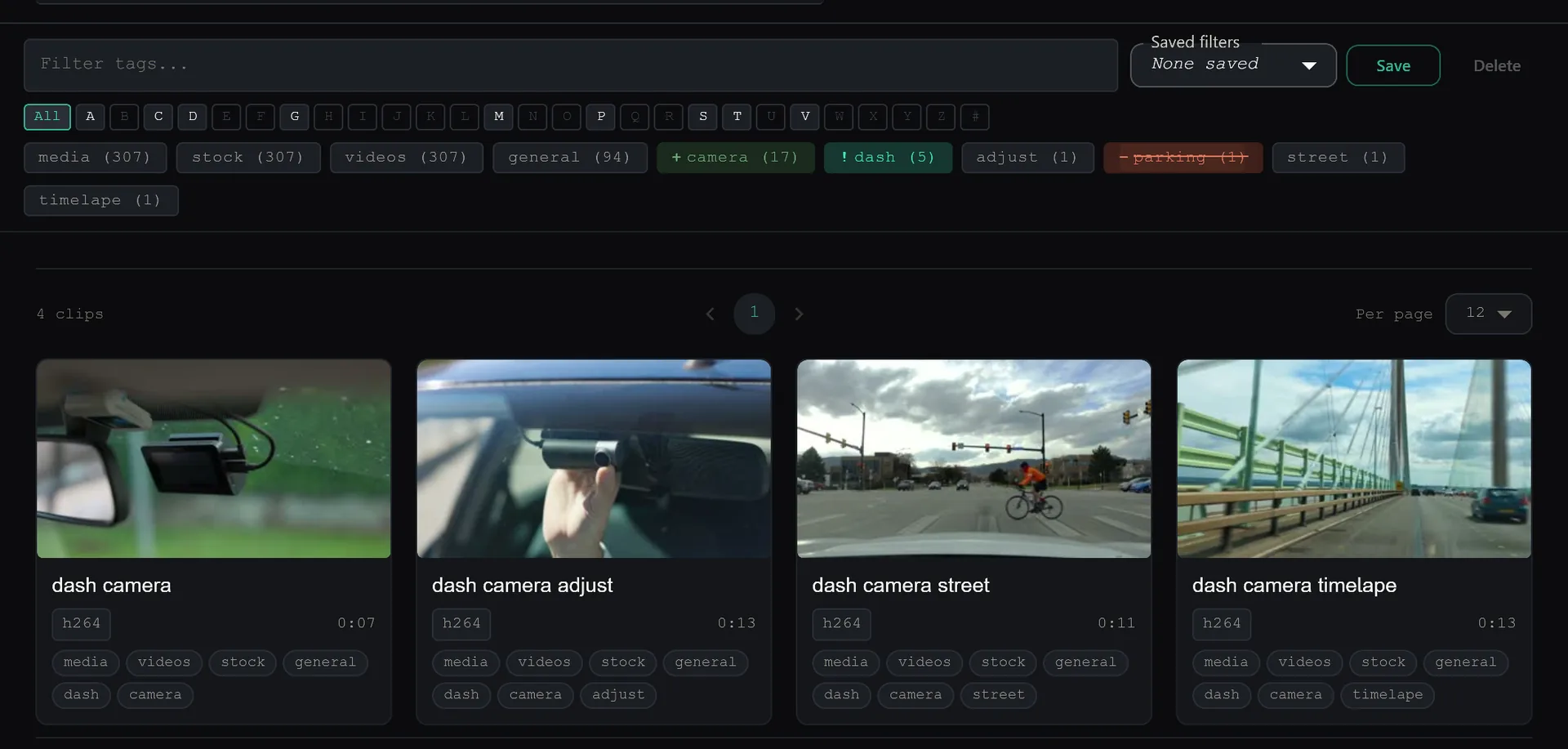
Efficient Dashcam Footage Review Workflow
Streamline dashcam and security camera review. Learn how to organize, search, and clip incident footage locally with SiftVid’s smart tags and fuzzy search.