Organizing Digitized VHS and DV Archives
Stop guessing. Learn how to organize digitized VHS and DV tape archives with local-first search, smart tags, and non-destructive editing in SiftVid.
Transferring physical media to digital formats is a heavy lift. Between cleaning the video heads, stabilizing shaky footage, and managing gigabytes of large video files, most archivists burn out before they even start organizing their library. The problem isn't the digitization process itself; it’s what happens afterward. You end up with thousands of unindexed MP4s buried in folder structures that make sense only to the person who named them, often years in the past.
If you are managing a growing collection of digitized VHS or DV content, you need a workflow that respects your local machine while giving you powerful search capabilities. You don't need a remote service that locks your personal history behind recurring fees or data centers in another country. You need a local-first tool that understands the quirks of legacy media.
The Problem with Traditional Folder Structures
Most people start organizing digitized tapes by date or source. "2004_Family_Vacation" or "DV_Camcorder_001" are common conventions. While intuitive at first, this approach collapses as your library grows.
First, finding specific moments becomes a guessing game. Do you remember if your wedding speech was on the VHS from the weekend or the weeknight? Second, folder structures are rigid. Moving a file to a new folder breaks any relative paths or playlists you may have built in other software. Third, and most importantly, folders don't search for content. A file named "IMG_042.mp4" tells you nothing about the actual events recorded, even if you remember exactly what happened in the clip.
To truly organize digitized VHS and DV archives, you need a layer of intelligence that sits on top of your file system without altering the files themselves. This is where a local media management tool changes the dynamic.
Smart Tags and Filename Heuristics
Modern media players offer basic tagging, but they often require manual entry for every single file. For an archive of 500 tapes, that is 500 times too much work.
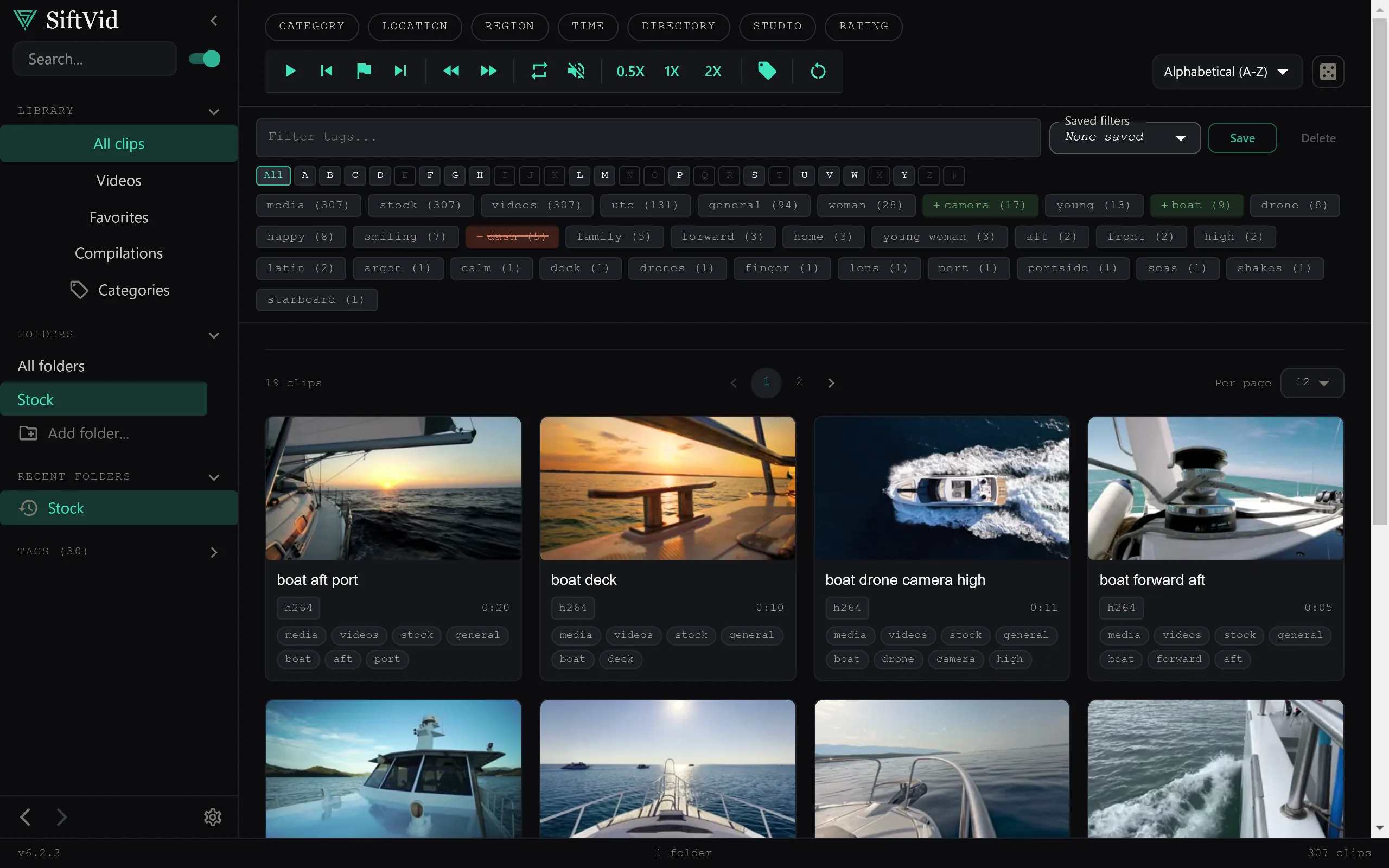
SiftVid approaches this differently. As a Windows desktop application, it operates entirely on your local machine. It uses smart tags derived from filenames and folder structures to build an initial metadata index automatically. If you follow a consistent naming convention—such as YYYY-MM-DD_EventTitle—the tool parses these strings to create searchable metadata without you touching a keyboard.
This is crucial for legacy media because it allows you to organize after the digitization phase. You can dump your newly transferred files into a directory structure that reflects how you physically stored the tapes, and let the software parse the context. Because it is a local-first application, your video files never leave your hard drive. There is no account creation, no remote data exchange, and no risk of your sensitive or personal footage being uploaded to a third-party server. This local-first architecture is particularly important for private family histories or sensitive documentary work where privacy is non-negotiable.
Fuzzy Search for Imperfect Memories
Human memory is fuzzy. You might remember a "birthday party," but not the exact year. Or you might recall a "red car" but not the specific model. Traditional file browsers require exact path knowledge. SiftVid uses a fuzzy search engine that supports Boolean logic with AND, OR, and NOT operators.
Imagine you are looking for a specific clip from a DV tape. You know it involves a "garden" and it happened in the "summer," but you don't know the year. You can search for garden AND (2003 OR 2004). Or, if you know a clip does not involve "rain," you can exclude it. This type of granular search capability turns a static folder tree into a dynamic database. It allows you to retrieve specific moments from your VHS and DV archives in seconds, rather than scrubbing through hours of video.
Non-Destructive Editing and Export
Organizing isn't just about finding files; it's about using them. Once you have located the right clips, you likely want to trim them, loop specific sections, or combine them into a summary reel.
SiftVid includes A-B section looping, which lets you preview a specific segment of a long DV transfer without having to export a new file every time. This is invaluable when checking for tracking errors or audio sync issues common in older tape formats.
When you are ready to use your clips, you can export them as MP4, MOV, or ProRes files. ProRes is particularly useful for archivists who plan to do further editing in professional software, as it preserves quality while keeping file sizes manageable. Furthermore, if you are using industry-standard NLEs, SiftVid can generate Premiere XML and DaVinci EDL cut lists. This means you can curate your selection in SiftVid and drop it straight into your editing suite, maintaining a clean workflow between your archive and your creative projects.
Building a Personal Archive AI
One of the most misunderstood aspects of modern media tools is the use of "AI." In the context of consumer video, this often implies a black-box remote service that analyzes your video content using generic internet-trained models. That approach is ill-suited for private, niche archives like home videos from the 90s.
SiftVid offers a train-your-own linear probe AI. This is a lightweight, local machine learning model that you train on your own tagged data. You label a set of clips, and the tool learns the patterns specific to your archive. Because it is a linear probe, it is computationally efficient and runs entirely on your hardware. It doesn't need to send your videos to a remote server for processing. This makes it a practical way to build an increasingly intelligent index over time, tailored specifically to your collection's unique characteristics.
Getting Started with Your Digitized Library
Moving from a chaotic collection of digitized tapes to an organized, searchable archive doesn't have to be a multi-year project. It starts with a consistent digitization process and a local tool that respects your privacy and your time.
If you are ready to take control of your VHS and DV collection, SiftVid is available as a one-time purchase for Windows 10 and 11. There are no monthly fees and no data limits. You can start a free 7-day trial to see how the smart tagging and fuzzy search work with your existing file structure.
For those interested in how the local-first approach protects your data, our FAQ page covers the technical details of how your files remain on your machine. You can also explore the full feature set to understand how the AI training and export options fit into your workflow.
Once you have your library organized, consider using the Make Trailer feature to create quick summaries for family viewing, or export an XML file to begin a larger editing project.
Download SiftVid to see how easy it is to make your digitized archives actually useful.
Keep reading
Manage Real Estate Videography Footage Locally
Stop losing property shoots. Local-first tools help real estate videographers organize, tag, and export MP4/ProRes files securely and fast.
Organize Family Videos Locally with SiftVid
Learn how to organize a lifetime of family videos on your local PC using SiftVid. Keep files private, searchable, and safe from remote risks.