Preparing a footage handoff for a freelance editor
Streamline your freelance video handoff. Learn how to organize, tag, and export cut lists so editors can start working immediately without asking for help.
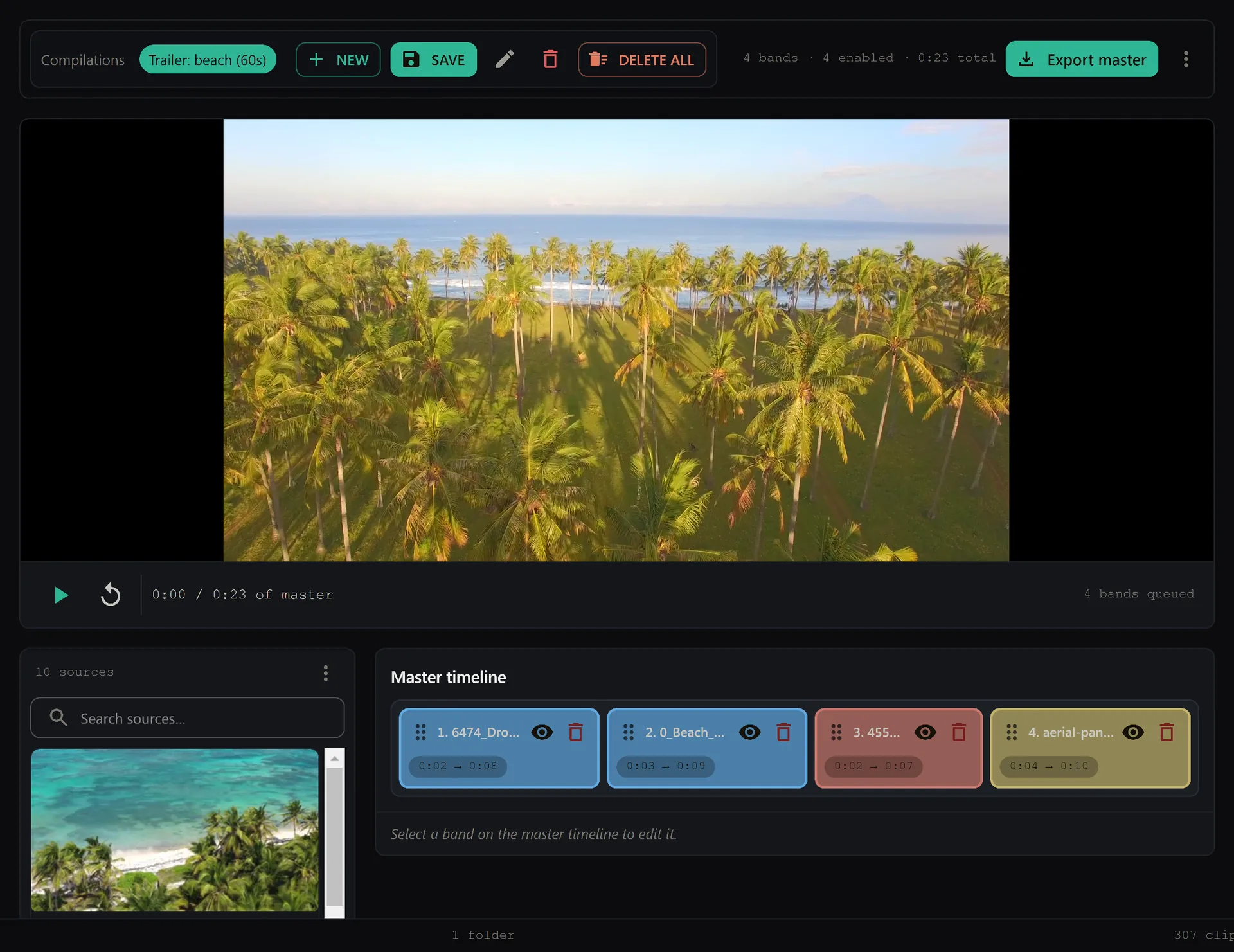
Sending a chaotic drive full of unlabeled files is the fastest way to annoy a freelance editor. When an editor opens a project and sees folders named "DCIM," "New Folder (3)," and files like DSC_0042.mov, they cannot start cutting. They spend the first hour just figuring out what exists. This friction kills momentum and increases costs.
A clean handoff is a professional courtesy that respects the editor’s time. It turns a messy raw state into a structured, searchable workspace. While SiftVid is a local desktop app, the principles of how it organizes data—via smart tags and clear metadata—mirror what you should aim for in your manual workflows. Here is how to prepare a footage handoff that allows a freelance editor to dive straight into the edit.
Standardize Your File Naming Before You Export
The single most important step in preparing a footage handoff for a freelance editor is consistent, descriptive file naming. Do not rely on the camera’s default names. An editor’s search engine (or their own brain) needs predictable patterns.
Adopt a standard naming convention that includes the show or project name, the day or take, and the description of the content. For example, PROJECT_NAME_DAY01_TAKE03_WIDE_SHOT.mp4 is infinitely more useful than IMG_1234.MP4. If you have multiple cameras, include the camera source in the name, such as _CAM_A or _CAM_B. This prevents the "which camera was that from?" question from halting the edit.
Organize Folders Logically
Structure matters as much as file names. A flat directory of five hundred files is unusable. Create a clear folder hierarchy. A common, effective structure is:
- 01_Raw_Footage
- Camera A
- Camera B
- Audio (if separate recorders)
- 02_Selects (if you have pre-cut clips)
- 03_Audio_Waveforms (if providing separate audio stems)
- 04_Deliverables
Keep the root level clean. If your project has distinct locations or days, create subfolders under the Raw Footage directory accordingly. This mirrors how tools like SiftVid use folder structures to auto-generate smart tags, reducing the need for manual categorization later.
Provide a Shot List or Scene Report
Files alone do not provide context. A simple text file or spreadsheet accompanying the drive is invaluable. List each shot or clip with a brief description, the timestamp in and out, and any critical notes. For example:
CLIP_001: Interview Subject A, Question 1 (00:00:12 - 00:01:45). Note: Slight focus pull at 00:00:40.CLIP_002: B-Roll, Factory Floor Wide (00:02:10 - 00:02:45).
This document saves the editor from scrubbing through hours of footage to find specific moments. It also serves as a contract of expectations, ensuring both you and the editor agree on what "good" looks like for each segment.
Export and Deliver the Right Formats
Do not send the camera’s original high-bitrate files unless the editor specifically requests them for color grading. For most narrative and commercial edits, a high-quality, edited-resolution proxy file is sufficient and much faster to work with.
Export your clips to a widely compatible codec like ProRes 422 or H.264 (high bitrate). Ensure the aspect ratio matches the final deliverable (16:9 for broadcast, 9:16 for social, etc.). If you are using a tool that supports it, check the SiftVid features page to see how local exports to MP4, MOV, and ProRes keep the handoff entirely on your own machine.
If your editor works in Adobe Premiere Pro or DaVinci Resolve, consider generating an EDL (Edit Decision List) or an XML file. This allows them to import your preliminary cuts or selects directly into their timeline, saving hours of manual assembly. Many editing tools support these standard industry formats, making the transition from your preparation stage to their edit stage seamless.
Verify Audio Integrity
Bad audio is a common pain point. If you recorded audio separately from a recorder, ensure the files are named consistently with the video (e.g., DAY01_CAM_A_AUDIO_01.wav). Include the sample rate and bit depth in your metadata or notes. If the audio is synchronized, note that in the shot list. If it is not, mark it clearly so the editor knows a sync pass is required.
Create a Quick Reference Document
Before zipping the drive, create a README.txt file. In this file, list:
- Project Name
- Contact Information
- Folder Structure Explanation
- Naming Convention Key
- Any known issues (e.g., "Camera B has a bad sync offset of 2 frames")
This document is the first thing the editor reads. It sets the tone for the collaboration. A clear, concise handoff demonstrates professionalism and reduces the back-and-forth emails that can delay a project.
Use Local Tools to Verify Your Handoff
Before you send the files, verify that everything works locally. Use a tool that runs entirely on your machine to ensure no files are corrupted and that your tags or metadata are accurate. SiftVid is a Windows desktop app that helps you manage local video libraries without sending data to the cloud. You can use it to search for specific clips using fuzzy search to ensure you haven't left out any essential shots.
If you are looking for a dedicated tool to help organize your local library before handoff, you can download SiftVid to see how it handles local file management. It operates without an account, keeping your data private.
Final Check Before Sending
- Do all files have descriptive names?
- Is the folder structure logical?
- Is there a shot list or scene report?
- Are the formats editor-friendly?
- Is there a README file?
If you can answer "yes" to all five, you have prepared a professional handoff. Your freelance editor can start cutting immediately, which means the project stays on schedule.
For more information on how SiftVid handles local video management and export options, visit the pricing page to see if the one-time purchase model fits your workflow. There is also a 7-day full-access free trial if you want to test the local-first approach.
A great handoff is the foundation of a great edit. Treat your files with the same care you treat your production values, and your collaboration will reflect that quality.
Keep reading
Manage Real Estate Videography Footage Locally
Stop losing property shoots. Local-first tools help real estate videographers organize, tag, and export MP4/ProRes files securely and fast.
Organize Family Videos Locally with SiftVid
Learn how to organize a lifetime of family videos on your local PC using SiftVid. Keep files private, searchable, and safe from remote risks.