SiftVid: A Windows Alternative to Stash for Local Libraries
Tired of maintaining a self-hosted video library? SiftVid is a $14.99 Windows 10/11 desktop app with smart tags, fuzzy search, loops, trailers, and pro export.
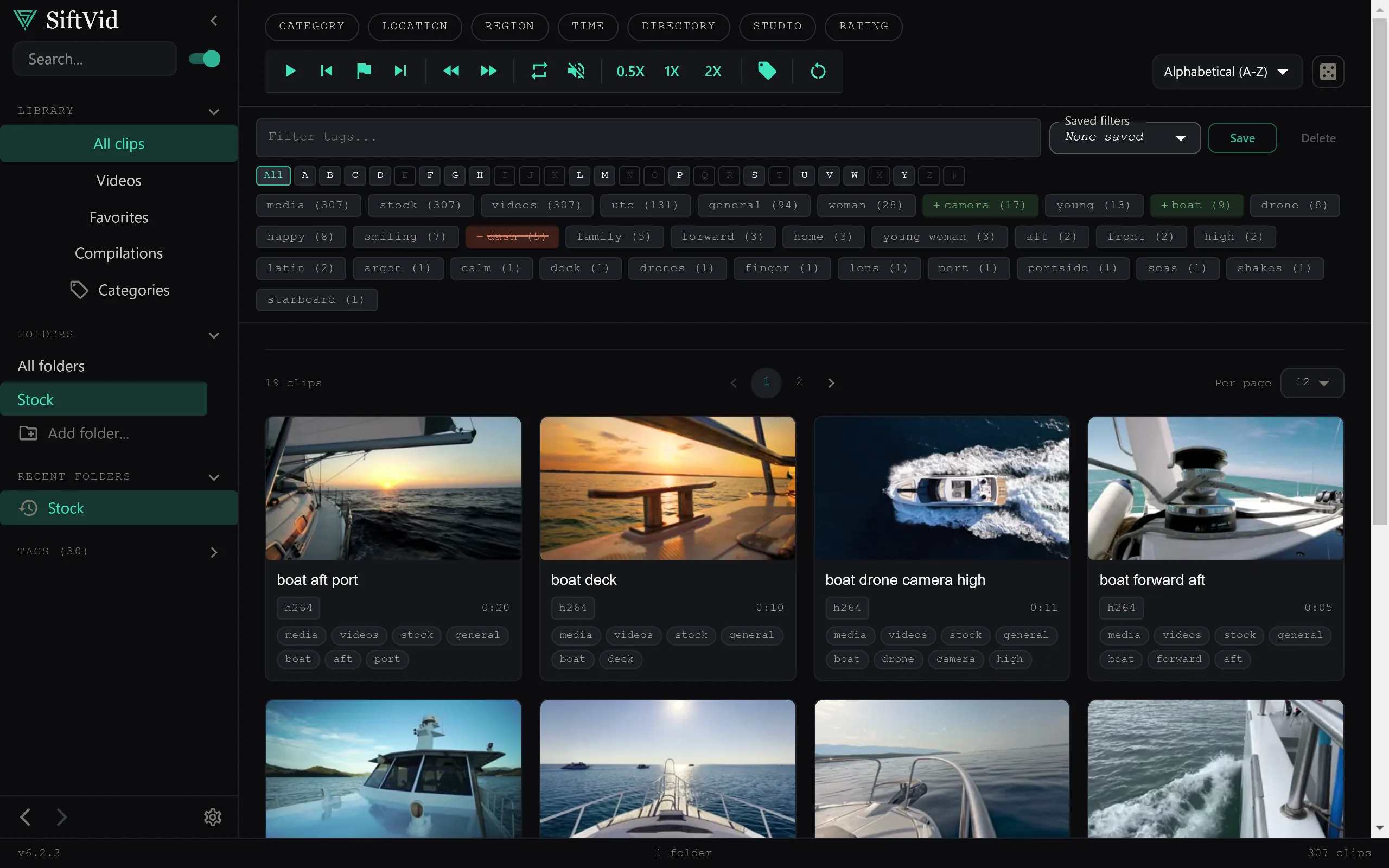
If you manage a large personal video library, you have probably tried Stash or at least weighed its benefits. It is a capable self-hosted organizer, but that power comes with responsibility: containers to maintain, a database to back up, and a service that must stay running. SiftVid takes a different approach. It is a native Windows 10/11 desktop app, sold for a one-time $14.99 purchase, with a 7-day full-access free trial. There is no server to run, no account to manage, and no network setup. Your videos stay on your machine from start to finish.
This post explains where SiftVid fits as a Stash alternative and what you can expect if you switch.
Skip the Server Setup
Stash is designed to run as a self-hosted application. For users comfortable with Docker and command-line maintenance, that is a flexible setup. For everyone else, it can become a project in itself. SiftVid is built for Windows users who want the library experience without the infrastructure.
After installing the app, you point it at the folders where your videos live. SiftVid scans the local paths, reads filenames and folder structures, and builds a searchable catalog. Because it is a desktop app, it runs only when you open it. There is no background service to monitor, no port to forward, and no dependency updates to track.
The local-first design also means privacy is simple: your files are never transmitted to an external service. SiftVid does not ask for credentials, does not phone home with your catalog, and does not move clips off the machine. Everything happens on your computer.
Automatic Tags From Filenames and Folders
One of the most tedious parts of organizing a large library is tagging. SiftVid reduces that work by generating smart tags from filenames and folder paths. If your collection is already arranged with descriptive names like StudioName_SceneType_Date_001.mp4 or sorted into folders such as Action/2024/Outdoor/, those text fragments become searchable tags automatically.
This approach rewards good file hygiene. Users who already name their clips consistently get a well-tagged library with almost no manual entry. Even imperfect naming works because the search is fuzzy, so slight typos or alternate spellings still return relevant results.
Fuzzy Search With Boolean Logic
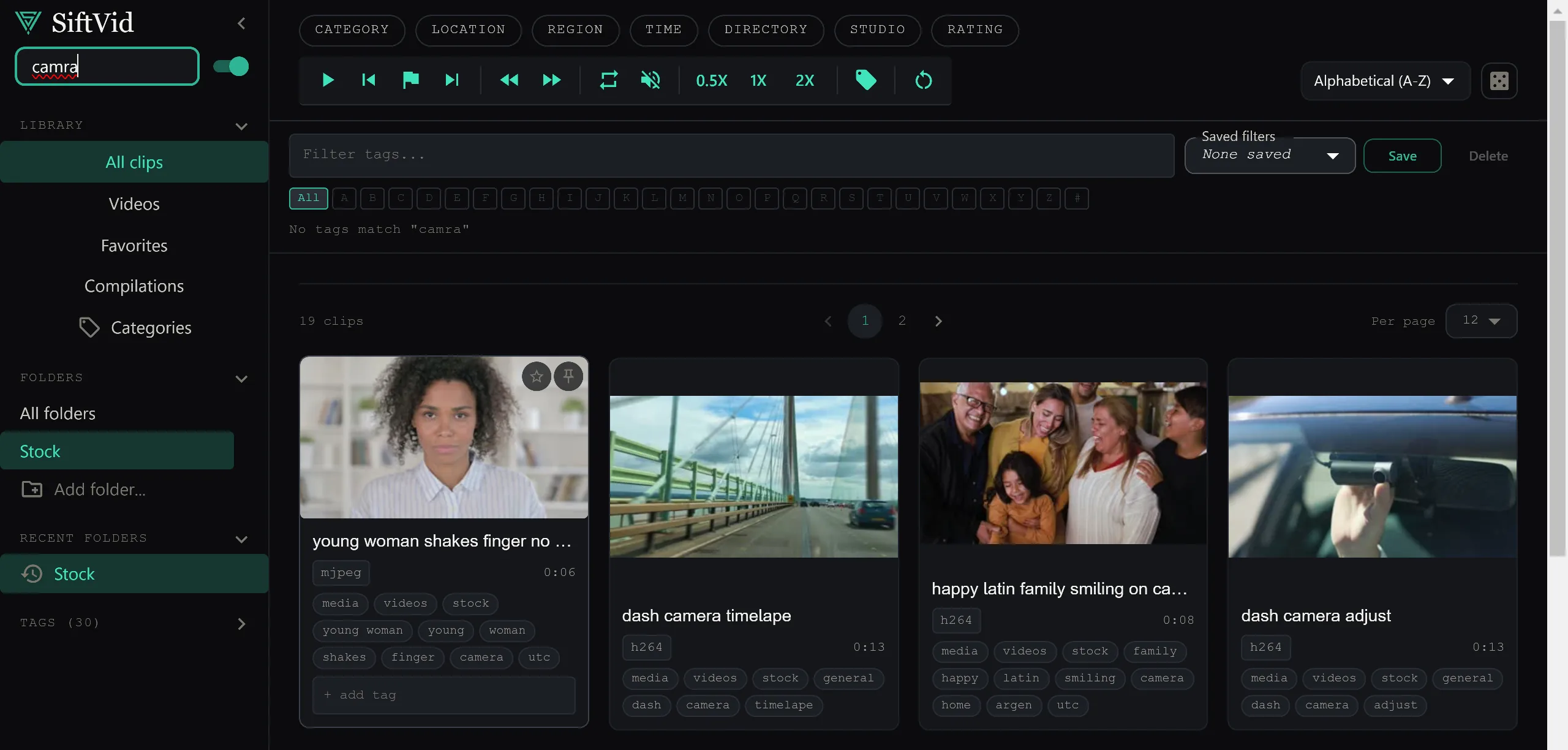
SiftVid's search supports AND, OR, and NOT operators. A query like beach AND sunset NOT drone finds beach sunset clips while excluding drone footage. You can also use OR to broaden results across synonyms. The fuzzy matching means you do not need exact keyword discipline to find what you are looking for.
This matters when a collection grows into the thousands or tens of thousands of files. Boolean logic lets you narrow results quickly instead of scrolling through endless grids. Combined with the auto-generated tags, it turns a messy folder tree into something you can query.
Built-In Preview and Scene Tools
SiftVid is not just a catalog. It includes tools for previewing and working with clips directly.
A-B section loops let you mark a start and end point and loop that segment. This is useful for reviewing a specific action repeatedly or checking continuity.
Category Theater displays clips in a browsable grid so you can scan a category without opening each file individually.
Make Trailer generates a short preview reel from selected clips, which is handy for showing highlights or assembling a quick demo.
These features keep your workflow inside one app instead of bouncing between a browser, a media player, and an editor.
Export for Editing and Delivery
When you are ready to use a clip outside the library, SiftVid offers several export formats. You can save videos as MP4, MOV, or ProRes depending on whether you need compressed delivery files or higher-quality mastering copies.
For users moving into post-production, SiftVid can generate Premiere XML and DaVinci EDL cut lists. These files carry your edit decisions into Adobe Premiere Pro or DaVinci Resolve, so you do not have to rebuild timelines by hand. It is a practical bridge between a browsing tool and a professional editing workflow.
Train-Your-Own AI Tagging
SiftVid includes a train-your-own linear probe AI feature. You label a set of examples for the categories you care about, and the model learns from those examples.
For instance, if you want a tag for clips shot in a specific location or containing a particular visual style, you select representative frames, assign the label, and train the model. After training, SiftVid can suggest the same tag on new clips based on what it learned from your input.
This keeps the AI under your control and avoids dependence on outside services or pre-built recognition datasets. Your training data also stays local, just like your videos.
One-Time Purchase With a Full-Access Trial
SiftVid costs $14.99 as a one-time purchase. There is no recurring billing and no feature gating beyond the trial period. Before buying, you can use the 7-day full-access free trial to import your library, test the search, try the AI training, and export a few clips.
The trial is genuinely full access, so you can judge performance on your own hardware and your own collection before committing.
Should You Switch?
SiftVid is a strong fit if:
- You run Windows 10 or 11 and want a desktop app instead of a server.
- You prefer a one-time payment over an ongoing cost.
- You value local-first storage and do not want your videos copied or synced externally.
- Your filenames and folders already carry useful metadata.
- You need direct export to Premiere Pro or DaVinci Resolve.
It is less ideal if you need remote access from multiple devices or operating systems outside Windows. SiftVid is Windows-only, so Mac and Linux users should look elsewhere.
For Windows users who are tired of maintaining a self-hosted stack, SiftVid offers a simpler, more private path. Download the trial from siftvid.com, point it at your collection, and see if it replaces your current setup.
Keep reading
Manage Real Estate Videography Footage Locally
Stop losing property shoots. Local-first tools help real estate videographers organize, tag, and export MP4/ProRes files securely and fast.
Organize Family Videos Locally with SiftVid
Learn how to organize a lifetime of family videos on your local PC using SiftVid. Keep files private, searchable, and safe from remote risks.