Stash without Docker: Local Media Management
Avoid Docker complexity. SiftVid is a simple, local-first Windows app for tagging and searching video files instantly. No servers, no containers.
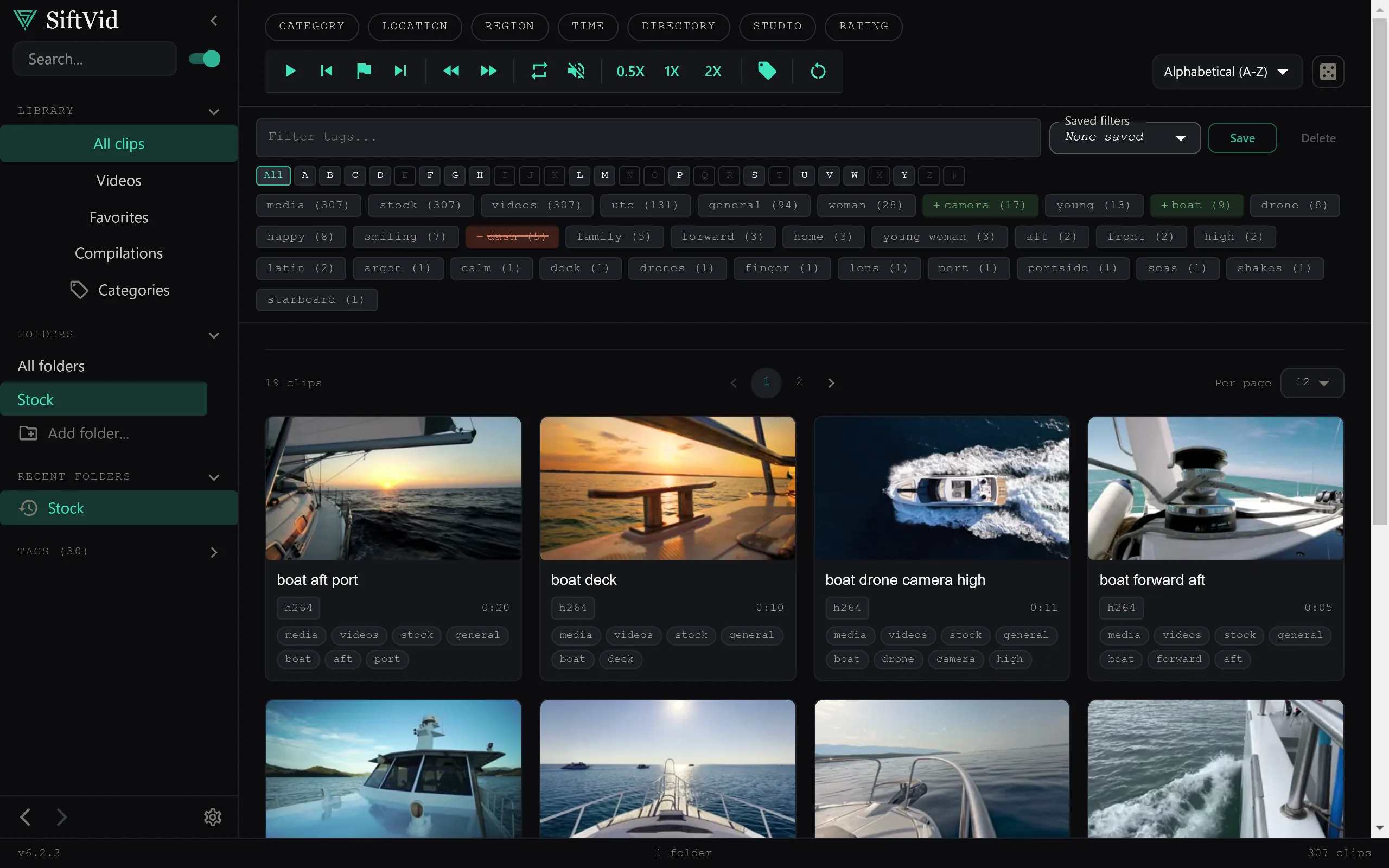
For many media collectors, the name Stash is synonymous with library organization. It is a powerful tool, but it is a server application, and most setup guides push you toward Docker: install Docker Desktop, configure container networks, map volume drives, and manage backend services. Even on the standalone route you are still running a local server with a database and a browser-based interface. For the average user who just wants to find a specific video in a large library, this infrastructure overhead is often disproportionate to the task at hand.
If you are looking for Stash without Docker, you are likely seeking a simpler, more direct way to organize, tag, and search local video files on your own machine. The goal is not to build a server but to manage a collection. This is where dedicated desktop applications shine. By moving away from containerized server architectures, you can focus on the content rather than the plumbing.
Why Docker Complicates Media Management
Docker was designed for developers deploying applications in isolated environments. Translating that into a personal media library introduces friction that affects usability daily.
The Setup Barrier
Getting Stash running requires a command-line interface, configuration YAML files, and an understanding of how containers interact with the host filesystem. If an update breaks the container image, troubleshooting requires reading logs that can be cryptic. For a non-technical user, this is a significant barrier to entry.
Resource Overhead
Docker Desktop itself consumes RAM and CPU resources, even when idle. Running a Stash instance alongside a media player can lead to performance bottlenecks on older hardware. A native desktop application, by contrast, launches instantly and integrates directly with the operating system’s file indexing capabilities.
Network Dependency
While Stash is local-first, the interface is accessed via a web browser through localhost. This means opening a browser tab and navigating a web UI. This is fine for power users, but it is an unnecessary abstraction for someone who simply wants to click a video file and watch it.
The Case for Local-First Desktop Apps
The alternative to the Docker-heavy approach is a native desktop application. These apps treat your video files as what they are: local assets. There is no backend server, no database that needs manual backups, and no network layer to secure.
A truly local-first philosophy means the software runs entirely on your machine. No account creation is required. No data is sent to external servers. This ensures privacy and speed. When you search for a tag, the query runs directly against a local index, returning results in milliseconds.
How SiftVid Simplifies Organization
SiftVid is a Windows 10 and 11 desktop application designed for exactly this use case. It eliminates the complexity of containerization by integrating directly into your workflow. You install the app, point it to your video folders, and start organizing.
Smart Tagging from File Structures
One of the most time-consuming aspects of media management is consistent tagging. SiftVid includes smart tags derived from filenames and folder structures. If you organize your files using a predictable naming convention, the app can infer metadata automatically. This reduces the manual entry required to build a searchable index.
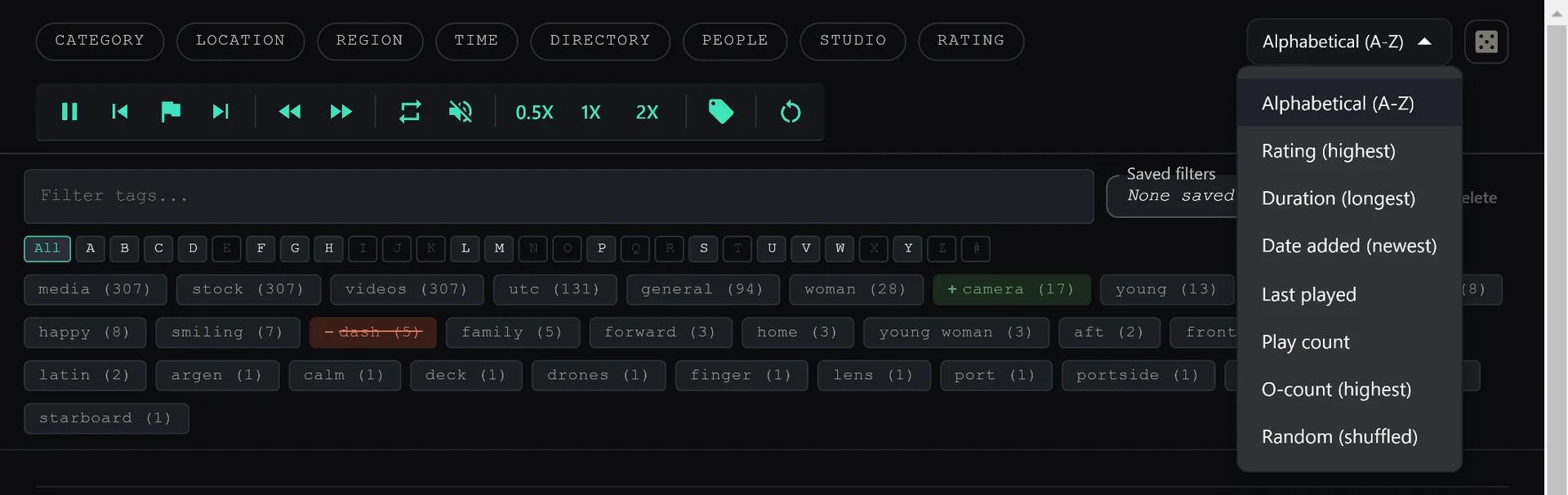
You can also use fuzzy search with AND, OR, and NOT operators to refine your queries. For example, you can search for specific combinations of tags without needing to remember the exact syntax of a SQL-like query language.
Visual Organization with Category Theater
For users who prefer visual browsing over list views, SiftVid offers a Category Theater mode. This allows you to browse your library by specific tags or categories in a grid format. It provides a different way to explore content that is often missing in web-based interfaces, which tend to favor list views for scalability.
Editing and Export Capabilities
While many media managers stop at organization, SiftVid includes editing tools. You can use A-B section loops to preview segments of a video without cutting the file. This is useful for identifying specific parts of a video for further processing.
Additionally, the app supports Make Trailer, which can compile selected clips into a short preview. For professional workflows, SiftVid exports MP4, MOV, and ProRes formats. It also generates Premiere XML and DaVinci EDL cut lists, making it a viable tool for editors who need to hand off organized footage to NLEs (Non-Linear Editors).
Train-Your-Own AI Probe
Unlike systems that rely on pre-trained models that may not understand your specific library, SiftVid allows you to train your own linear probe AI. This means you can teach the app to recognize patterns specific to your collection. Because this training happens locally, your data never leaves your machine. This is a significant advantage over cloud-based tagging services that require uploading thumbnails or metadata to external servers for analysis.
Privacy and Ownership
When you use a server-based solution like Stash, you are responsible for securing the local host and ensuring that the web interface is not accidentally exposed to the network. While local, the attack surface is larger than a simple desktop app.
SiftVid operates with a zero-account, no-cloud model. There is no sign-up process and no data collection. Your library is yours, and the software does not attempt to monetize your viewing habits. The $14.99 one-time purchase covers the full application, with a 7-day free trial available to test it out.
Getting Started Without the Headache
If you decide that the Docker complexity is not worth the cost, switching to a native app is straightforward. You can download SiftVid for Windows from the download page. The installation is a standard .exe installer, requiring no terminal commands or YAML configuration.
Once installed, you add your video directories. The app builds its index locally. You can then start tagging, searching, and playing videos. If you have questions about how the file indexing works or what formats are supported, the FAQ section covers the technical details.
For a deeper dive into the specific tools available, including the details on the XML/EDL export and the AI training process, check out the full feature list.
Final Thoughts
Technology should serve the user, not the other way around. If you are spending more time managing the application infrastructure than enjoying your media collection, it is time to reconsider your tools. Stash without Docker does not mean you have to give up robust organization. It means choosing a tool that respects your time and privacy by doing things the simple way. By using a native, local-first application, you retain full control over your library without the operational burden of a containerized backend.
Keep reading
Manage Real Estate Videography Footage Locally
Stop losing property shoots. Local-first tools help real estate videographers organize, tag, and export MP4/ProRes files securely and fast.
Organize Family Videos Locally with SiftVid
Learn how to organize a lifetime of family videos on your local PC using SiftVid. Keep files private, searchable, and safe from remote risks.