Train a Local AI Scene Tagger for Your Videos
Learn how to train a linear probe AI in SiftVid to tag specific scenes on your local footage. No cloud, no data loss, full privacy.
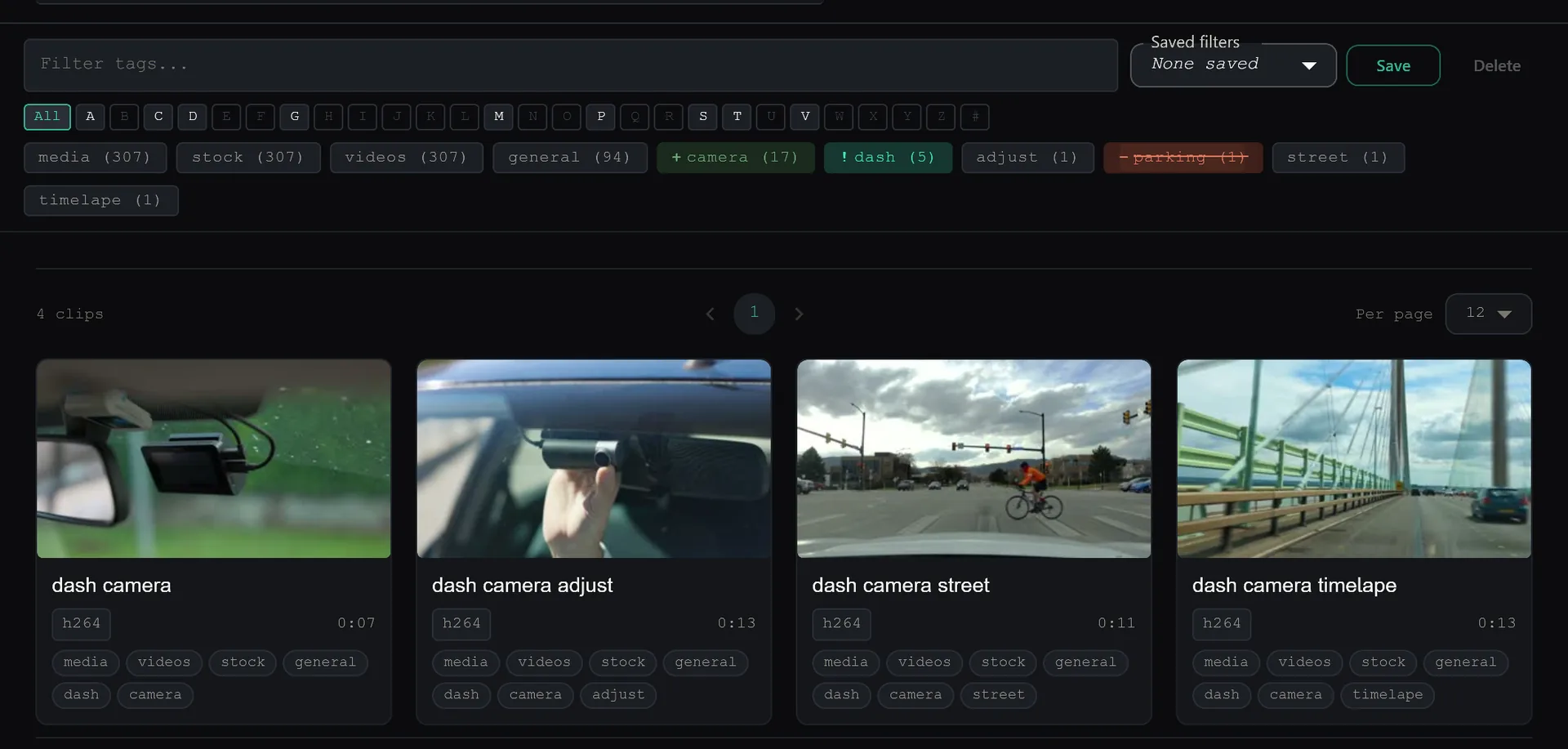
Most video search tools force you to choose between two bad options: wait for a pre-trained model that might not understand your specific content, or upload your private footage to a server so a cloud AI can "learn" what your scenes look like. SiftVid offers a third path. It lets you train your own linear probe AI directly on your local machine. This means the model learns from your specific footage, on your hardware, without a single byte leaving your hard drive.
This post breaks down how the train-your-own feature works, how to prepare your footage, and how to build a tagger that actually understands the nuances of your library.
What is a Linear Probe AI?
Before diving into the process, it helps to understand the technology. A linear probe is a lightweight machine learning layer added on top of existing video feature extraction. It does not require massive GPUs or weeks of training time. Instead, it looks for specific patterns in the visual and metadata signals of your clips to predict whether a scene belongs to a category you define.
In SiftVid, this AI is strictly local-first. There is no account creation, no cloud synchronization, and no data collection. When you train a probe, the algorithm runs inside the application on your Windows 10 or 11 desktop. The resulting model file stays on your machine, tied only to your local file system. This is critical for users who handle sensitive, private, or unpublicized footage.
Preparing Your Footage for Training
The quality of your AI tagger depends entirely on the quality of the training data. Unlike generic cloud services that claim to work out of the box with seed packs, SiftVid requires you to define the ground truth. You must tell the software what counts as "Scene A" and what counts as "Not Scene A."
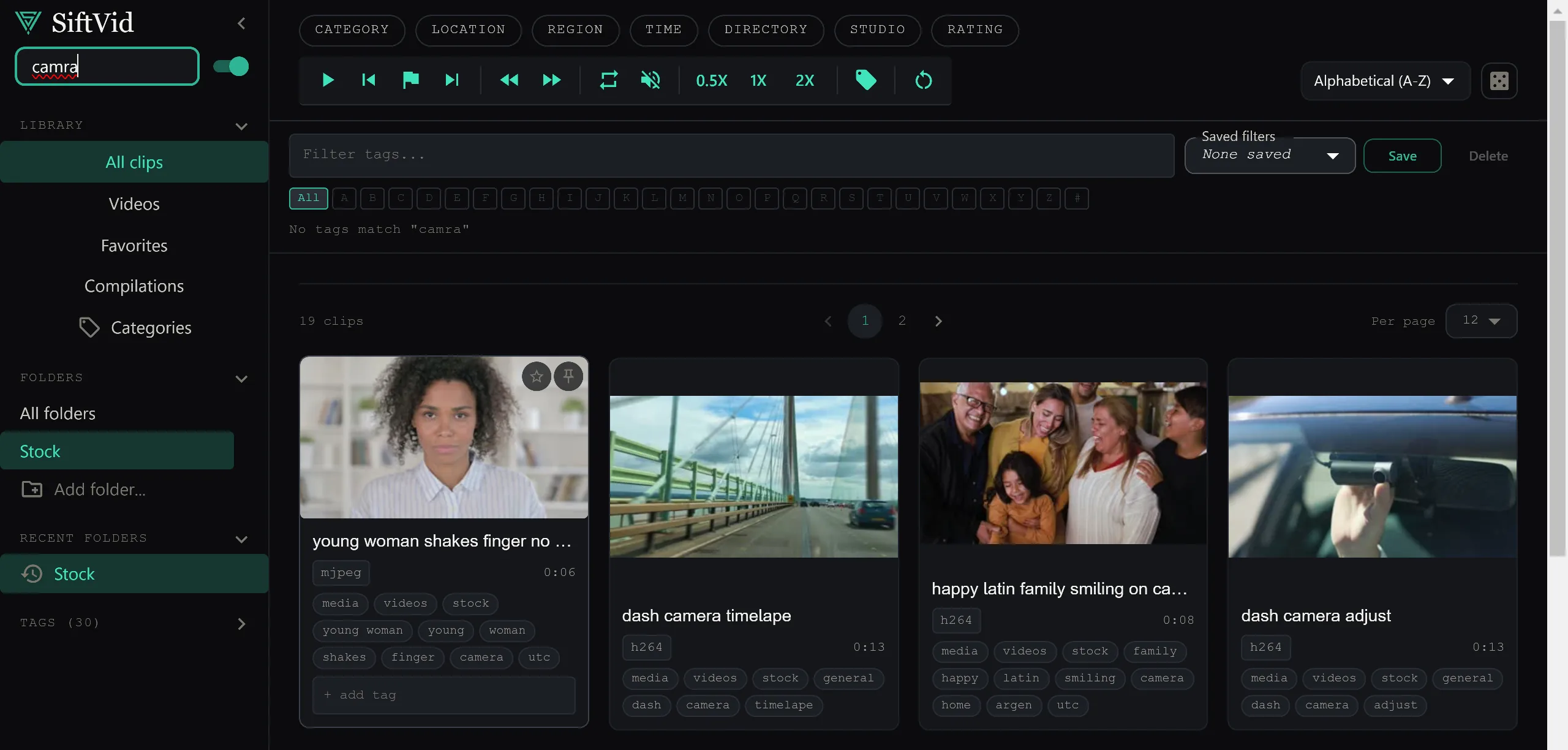
Start by organizing your source material. SiftVid uses smart tags derived from filenames and folder structures to help you sort clips. If your files are currently a mess, consider renaming them or moving them into dedicated training folders first. For example, create a folder named Training_Positive and another named Training_Negative.
Your positive examples should be clear, unambiguous instances of the scene type you want to tag. If you are training a tag for "Interview Close-ups," every clip in your positive set should be a clear close-up shot of an interviewee. Avoid including wide shots or b-roll in the positive set unless you intend for those to be part of the tag definition.
Your negative examples are equally important. These are clips that are similar but distinct. If you are tagging "Interview Close-ups," your negative set might include "Group Interviews" or "B-Roll of Room." The AI learns the boundary by contrasting these two sets. The more distinct the difference between your positive and negative examples, the sharper the resulting tag will be.
The Training Workflow
Once your files are organized, the training process is straightforward.
- Select Your Categories: Open SiftVid and identify the specific category or folder containing your positive examples.
- Define the Training Set: Use the fuzzy search tools to select the exact clips you want the AI to learn from. You can use AND/OR/NOT logic to be precise. For instance, you might select files where the tag is
Type:InterviewANDDuration:<60s. - Initiate Training: Trigger the linear probe training function. The application will analyze the visual features of the selected clips and build the model locally.
- Review and Iterate: After the initial training, the AI will assign tags to your library. Review the results. If it is tagging the wrong clips, add those problematic clips to your negative set and retrain.
This iterative process is where the "train-your-own" aspect shines. You are not stuck with a generic model that makes the same mistakes for everyone. If the AI confuses "Outdoor Daytime" with "Outdoor Nighttime" because of lighting differences in your specific camera setup, you can add night shots to your negative examples. The model adjusts to your specific visual environment.
Reviewing Candidates with A-B Loops
Training data quality lives and dies on boundaries. A clip that starts with five seconds of the wrong shot will muddy your positive set. Before you add a clip to a training folder, use SiftVid's A-B section loops to play the exact segment you care about on repeat and confirm it contains only the scene you want the probe to learn.
This review pass takes minutes and pays off in every retrain: clean, unambiguous examples in, sharper tags out.
Exporting Your Custom Insights
Once your custom AI tagger is trained and performing well, you can leverage it in your editing pipeline. SiftVid exports MP4, MOV, and ProRes formats, along with Premiere XML and DaVinci EDL cut lists.
This is where the investment in custom tagging pays off. Imagine you have a 10-hour library of unorganized footage. You train a tagger for "High-Intensity Action." You can then instantly filter your library to show only those clips. You can then export a cut list directly to DaVinci Resolve. You did not have to watch 10 hours of video. The AI, trained specifically on your definition of "action," found them for you.
Because the AI is local, you can use it repeatedly. If you add new footage to your library, you can update your training set and retrain the probe. The model evolves with your library.
Why Local-First AI Matters
The privacy aspect of this workflow cannot be overstated. Traditional cloud-based AI video tools require you to upload raw video files. This is slow, expensive, and a significant privacy risk. If you are working with client footage, unreleased projects, or personal memories, uploading that data to a third-party server is often unacceptable.
SiftVid changes this equation. The linear probe training happens on your desktop. Your videos never leave the machine. There is no account, no login, and no server-side processing. This makes it viable to train complex scene taggers on highly sensitive material without compromising confidentiality.
Getting Started
If you want to try this workflow, you can start with a 7-day full-access free trial. During the trial, you have access to all features, including the custom AI training, fuzzy search, and export tools.
You can download SiftVid for Windows from the download page. The price is a one-time $14.99 purchase.
To see the full list of what the application can do, including the smart tags and Category Theater, visit the features page. If you have questions about the technical limits of the linear probe or file format support, check out the FAQ.
Building a custom AI scene tagger is not about finding a magic button. It is about defining your categories clearly, providing high-quality training data, and iterating on the results. With SiftVid, you get the power of machine learning without the compromise of your privacy. The tools are local, the control is yours, and the results are tailored specifically to your footage.
Keep reading
Manage Real Estate Videography Footage Locally
Stop losing property shoots. Local-first tools help real estate videographers organize, tag, and export MP4/ProRes files securely and fast.
Organize Family Videos Locally with SiftVid
Learn how to organize a lifetime of family videos on your local PC using SiftVid. Keep files private, searchable, and safe from remote risks.